Pen Pals and Contacts
Anyone you've added, and who has added you back, is your pen pal. All your pen pals live in Contacts, at the top right of the Mailbox.
Where to Find It
Bottom Mailbox (「信箱」) → book icon (Contacts) at the top right.
Steps
-
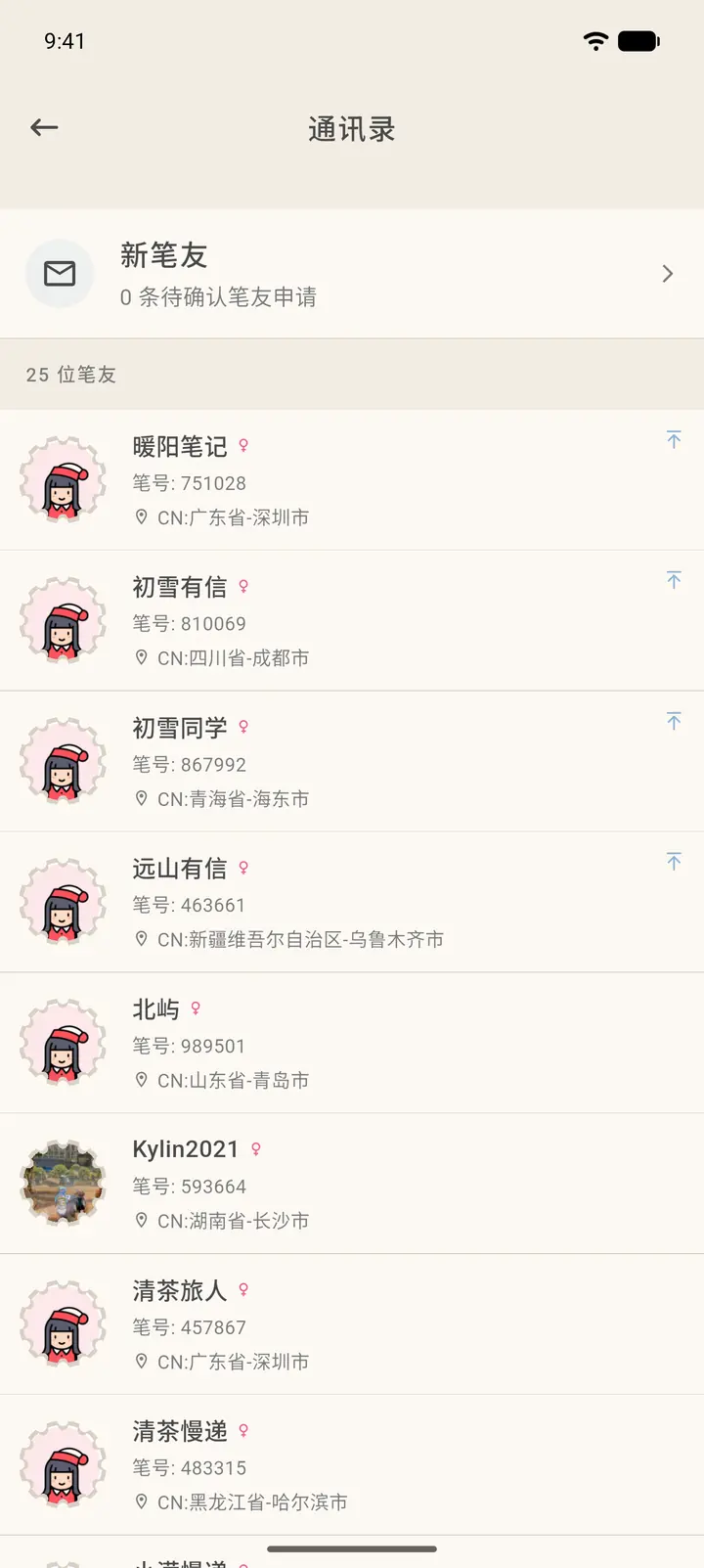
At the top of Contacts (「通讯录」) is New Pen Friends (「新笔友」), which shows how many requests are waiting for your approval. Your pen pals are listed below it, with pinned pen pals first.
-
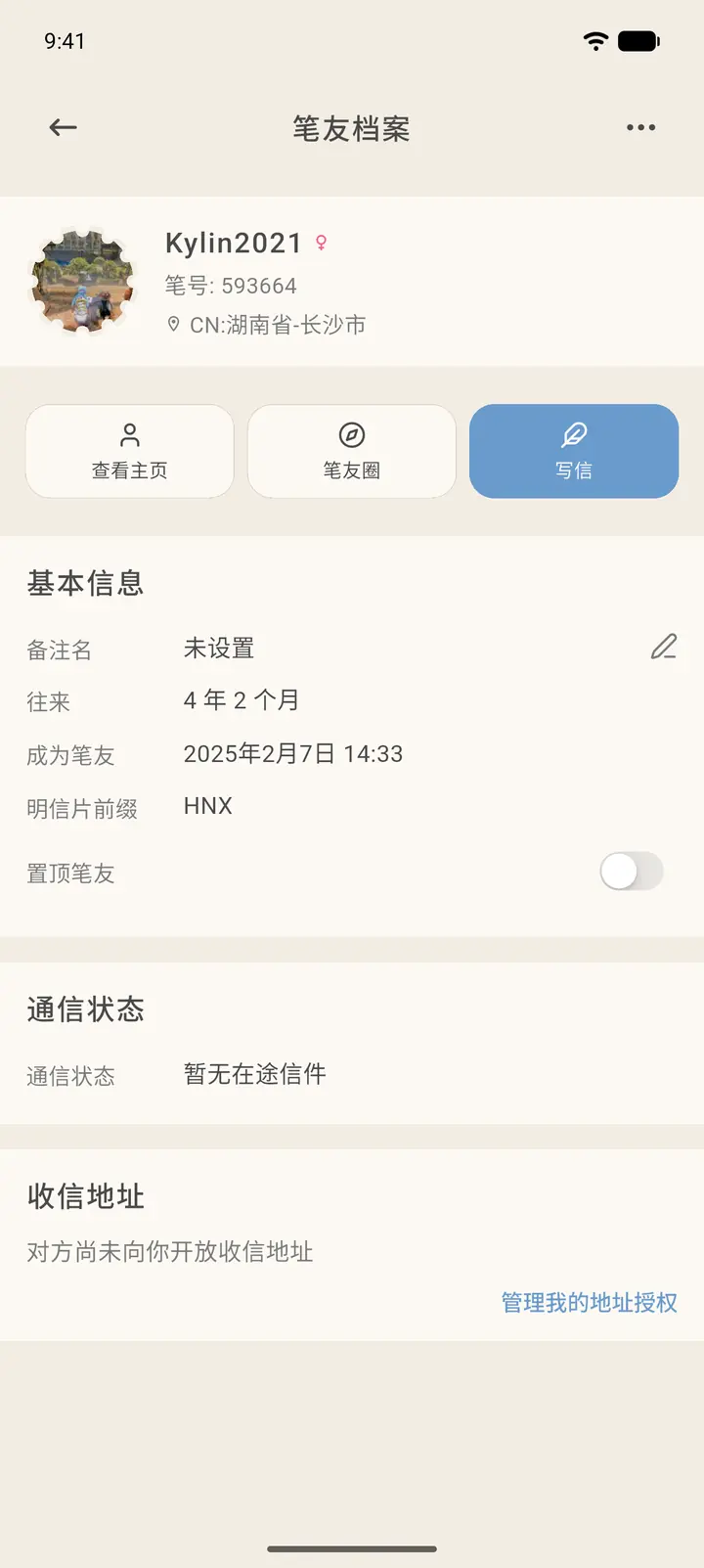
Tap any pen pal to open their Penpal Profile (「笔友档案」). Here you can see when you became pen pals, their postcard prefix, your correspondence status, and the number of unread letters. You can also set a Note name (「备注名」) and Pin (「置顶」) the pen pal.
-
The profile has three shortcuts: view their profile, Echoes (「笔友圈」), and write a letter.
-
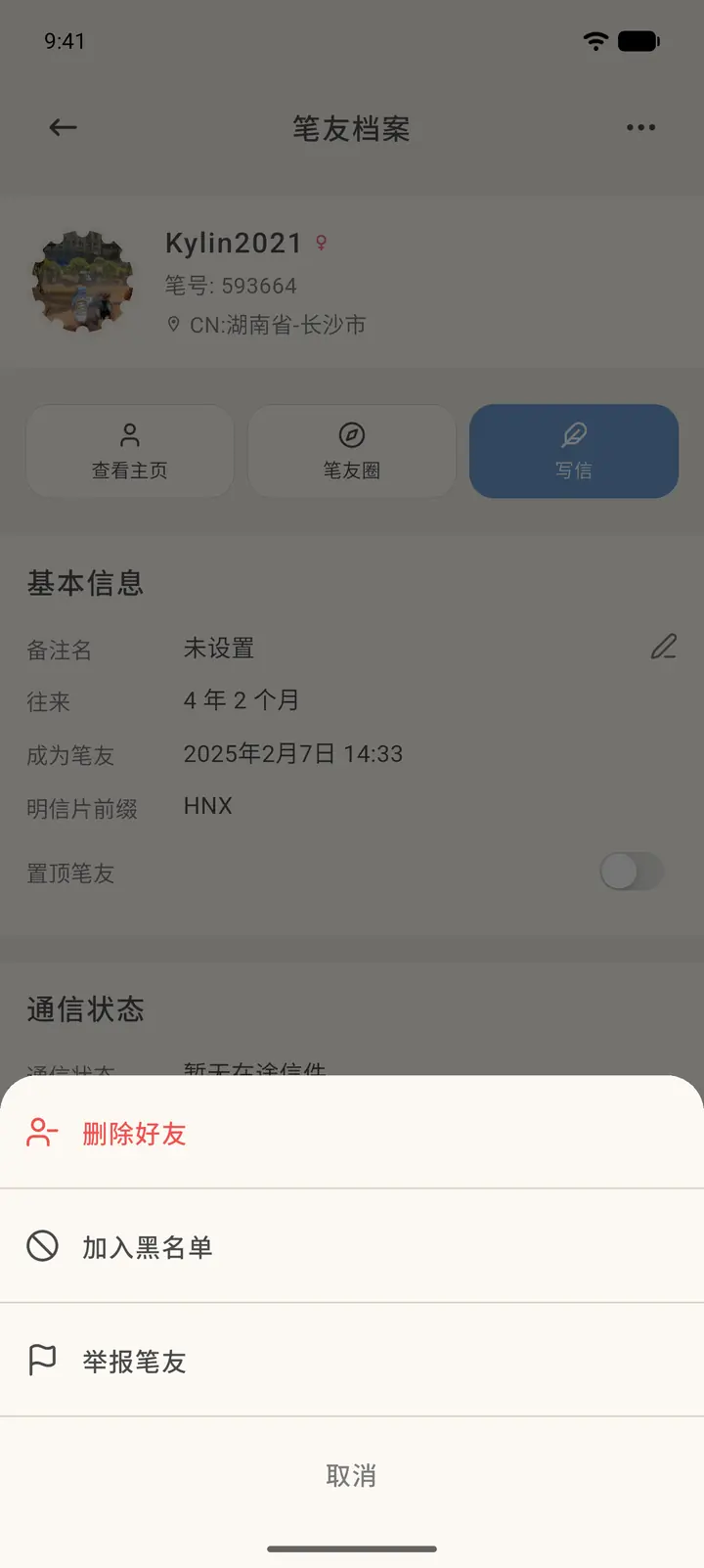
Tap the "…" at the top right to remove the pen pal, block them, or report them. You'll be asked to confirm before you remove or block anyone.
Result
Once you add a note name, it shows first in both Contacts and the Mailbox. Pinned pen pals always stay at the top of Contacts.
FAQ
What does "对方尚未向你开放收信地址" (the other person hasn't shared their mailing address with you) mean in the mailing address row? They haven't allowed you to see their address. You can tap Manage my address sharing (「管理我的地址授权」) to decide whether to share your own address with them.