My Stamps
Stamps are the small pictures you put on an envelope when you write a letter. Every stamp you've collected is here, and you can also look back at your purchase history.
Where to find it
Profile (「我的」) → Stamps (「邮票」).
Steps
-
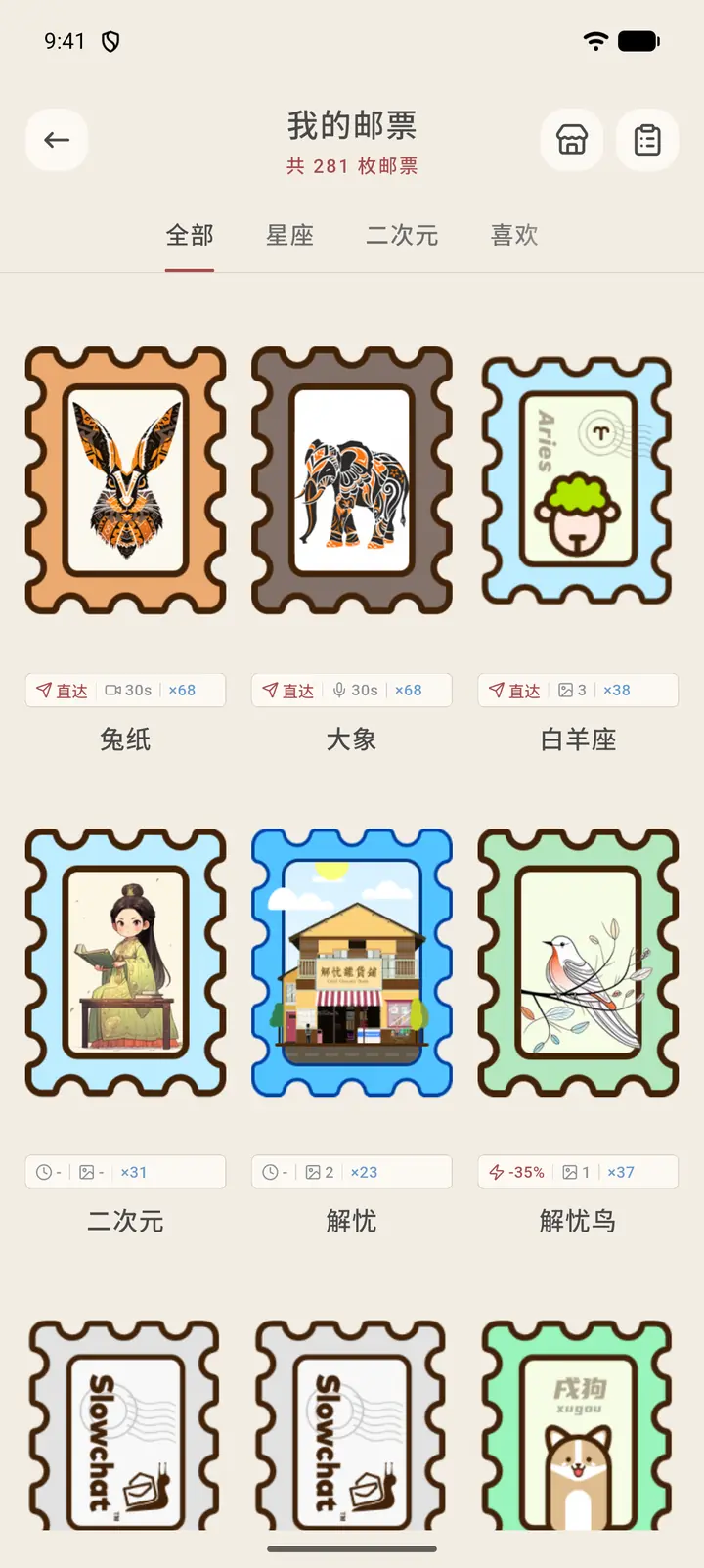
The top of My Stamps (「我的邮票」) shows how many stamps you have in total. Below, stamps are grouped under All (「全部」), Horoscope (「星座」), Pixiv and Favorites (「喜欢」). Each stamp shows its name and its features, such as direct delivery, the duration of voice or image attachments it allows, and its quantity.
-
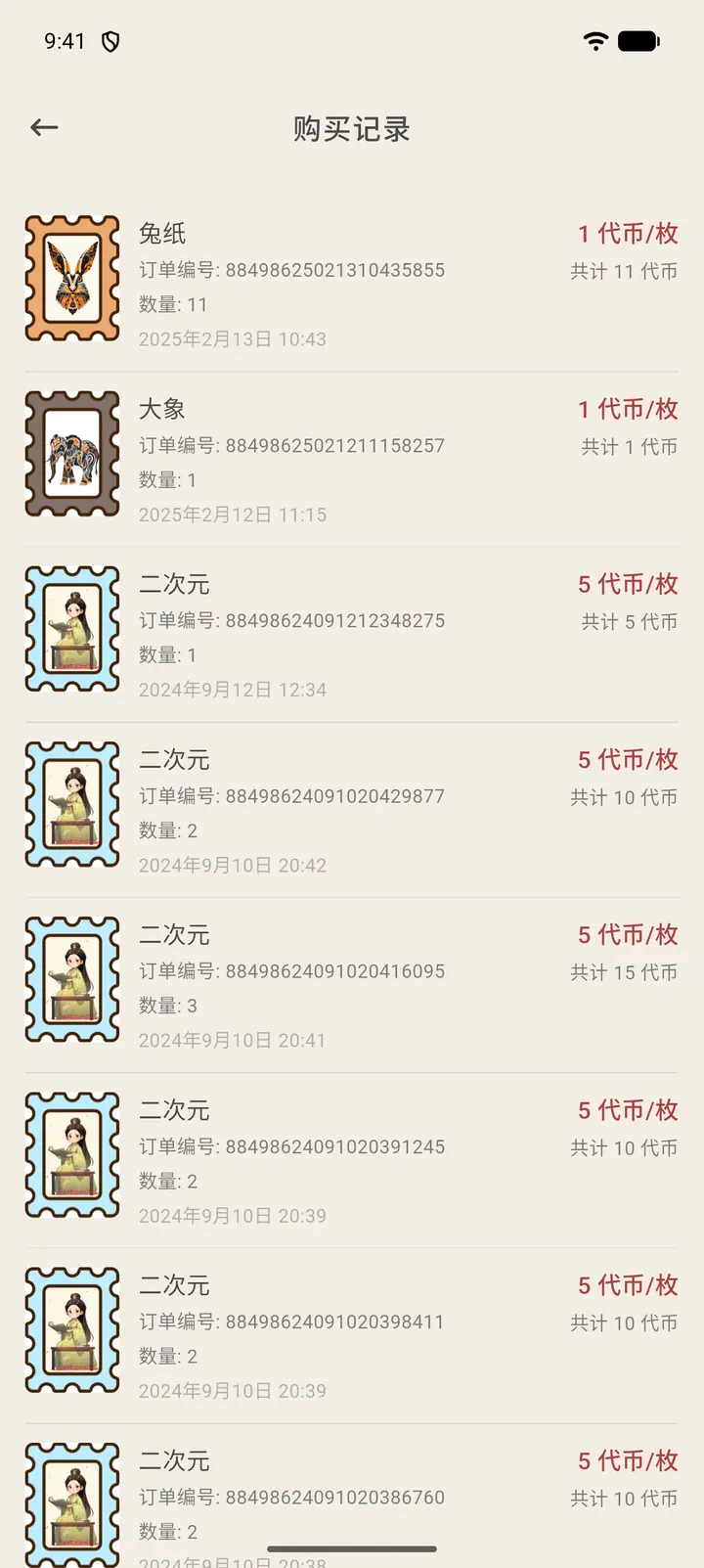
Tap the list icon on the right side of the top right to open Purchase History (「购买记录」), which lists every stamp purchase from newest to oldest, with the order number and quantity. Prices are in tokens: the upper line on the right is the tokens per stamp, and the lower line is the total tokens spent on that order.
Result
When you write a letter, you can use these stamps in the stamp picker.
FAQ
What if I run out of stamps? You can get more by buying them, through events and with membership perks.