Notifications and Privacy
Decide which messages should alert you, and what other people can see about you.
Where to find it
Profile (「我的」) → gear icon at the top right → Notifications (「通知管理」) or Privacy Settings (「隐私设置」).
Steps
-
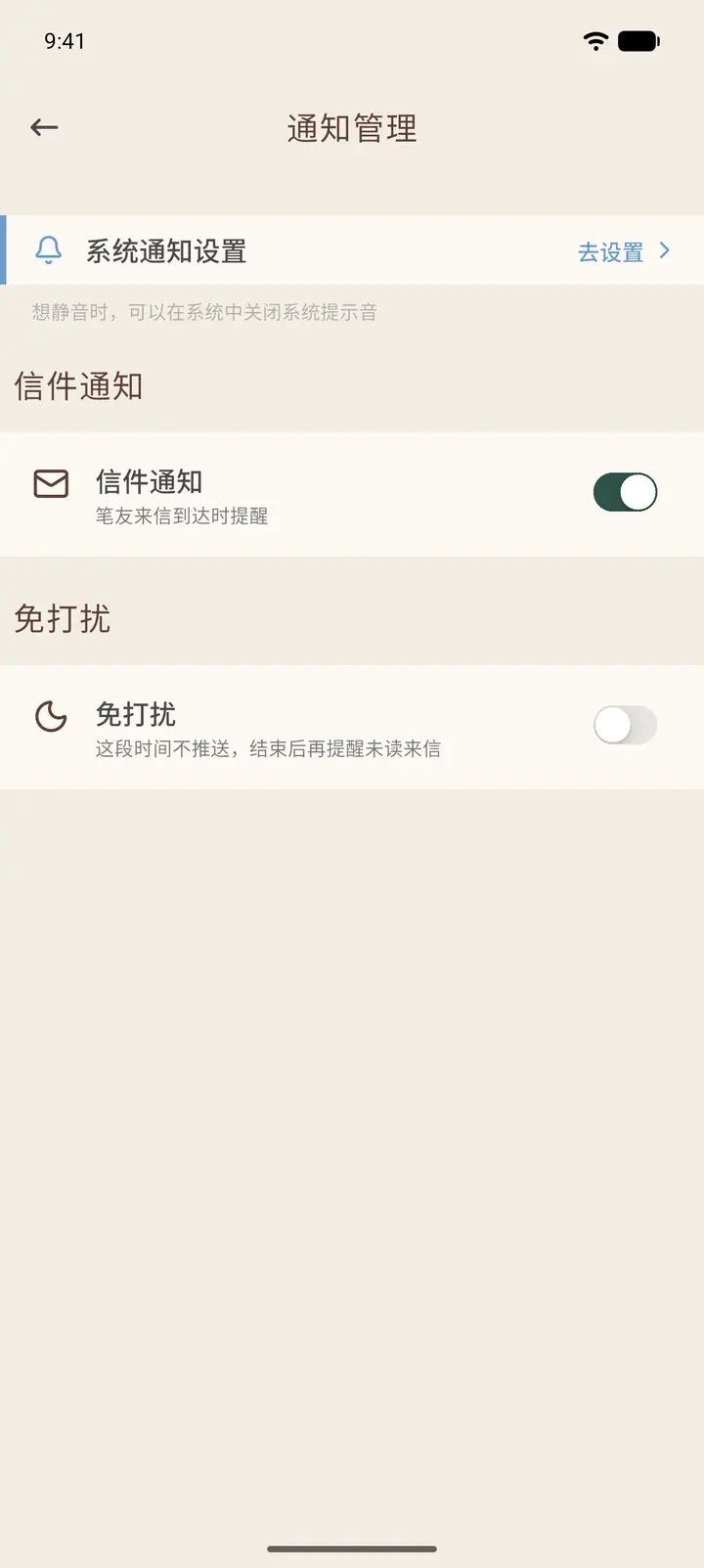
At the top of Notifications, you can jump to system settings to turn on notification permission. Letter notifications (「信件通知」) controls whether you are alerted when a letter from a pen pal arrives. Quiet hours (「免打扰」) lets you pause pushes for a period of time, and reminds you of unread letters afterward.
-
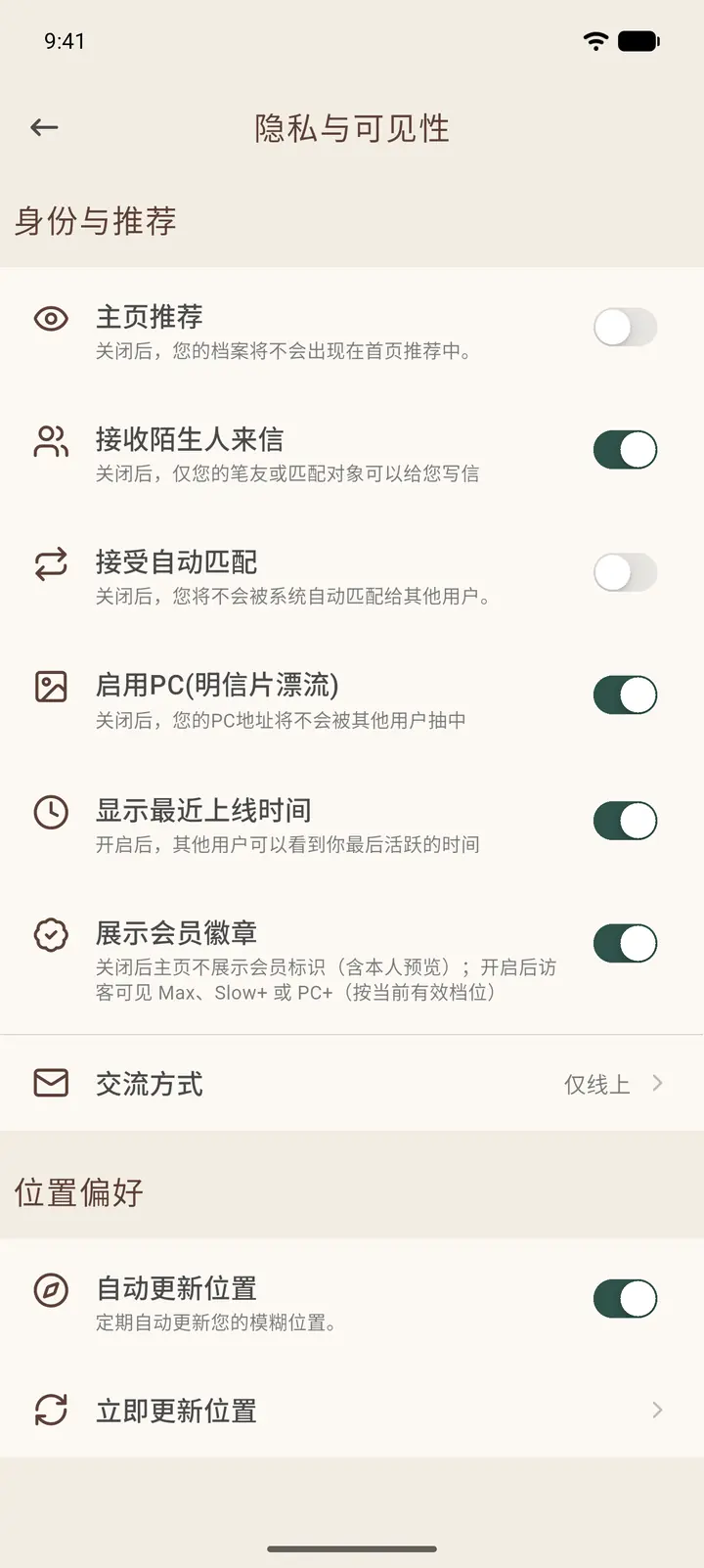
Privacy & Visibility (「隐私与可见性」) is divided into groups:
- Identity & Recommendation: Feature on Homepage (「主页推荐」; turn it off and you won't appear in other people's Home recommendations), Receive from Strangers (「接收陌生人来信」), Accept Auto-Matching (「接受自动匹配」), enable PC (Postcrossing-style postcard exchange), Show Last Online Time (「显示最近上线时间」), and Show membership badge (「展示会员徽章」).
- Communication Style: Letters only (「仅书信」), or open to more ways of connecting.
- Location Preferences: Auto-Update Location (「自动更新位置」) and Update Location Now (「立即更新位置」).
Result
Privacy switches take effect immediately. After you turn off Show Last Online Time, other people see Not Public (「不公开」) on your profile.
FAQ
Can I still receive letters if I turn off Feature on Homepage? Yes. You just no longer appear on strangers' Home pages.