Stamp Album
The Stamp Album collects every stamp you've obtained.
Where to find it
Profile (「我的」) → Stamps (「集邮册」).
Steps
-
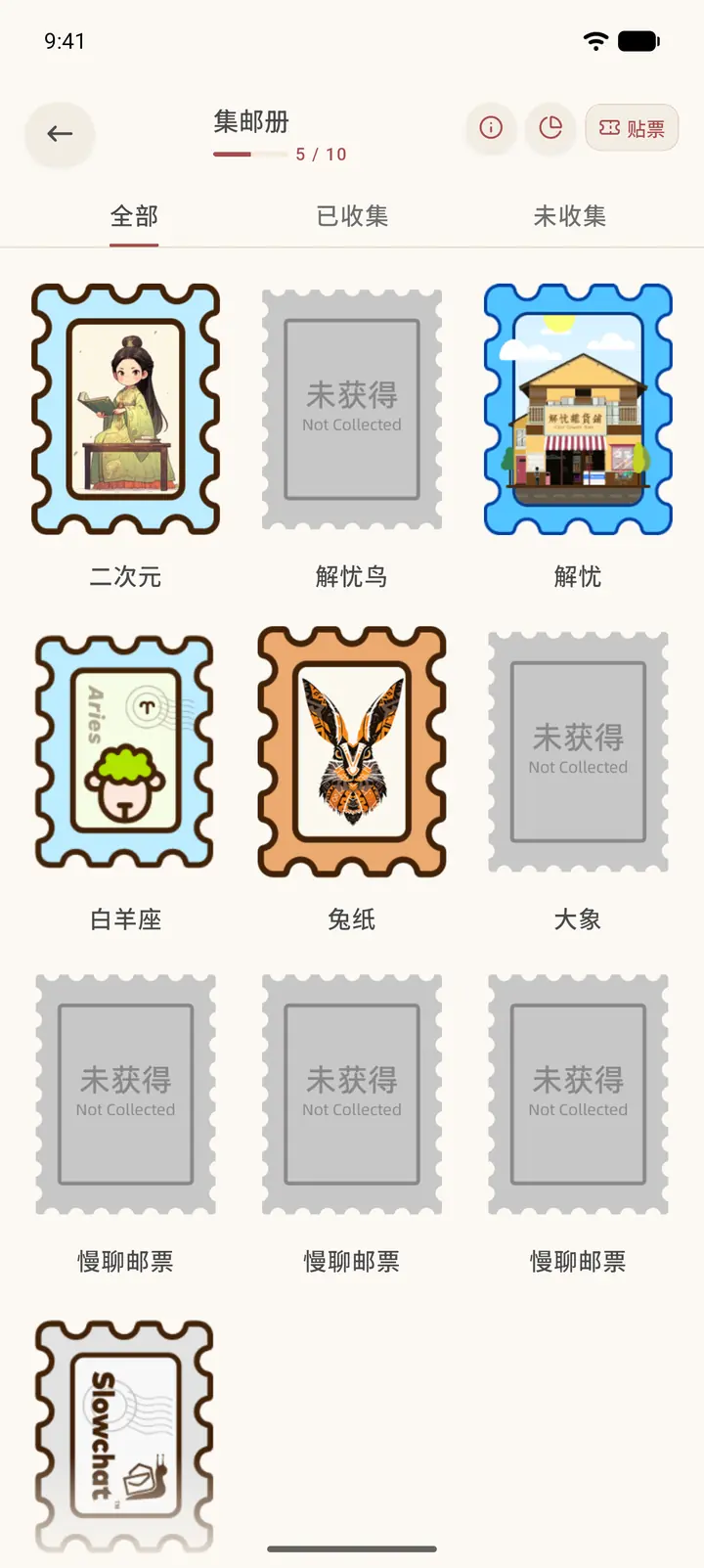
The top shows your collection progress, for example 5/10. There are three tabs — All (「全部」), Collected (「已收集」) and Missing (「未收集」) — and stamps you haven't obtained appear in gray, marked Not obtained (「未获得」).
-
There are three buttons in the top right: "i" opens the help page (a web page), the clock icon opens Collecting Progress (「集邮进度」), and Paste (「贴票」) lets you paste stamps you own into the album.
-
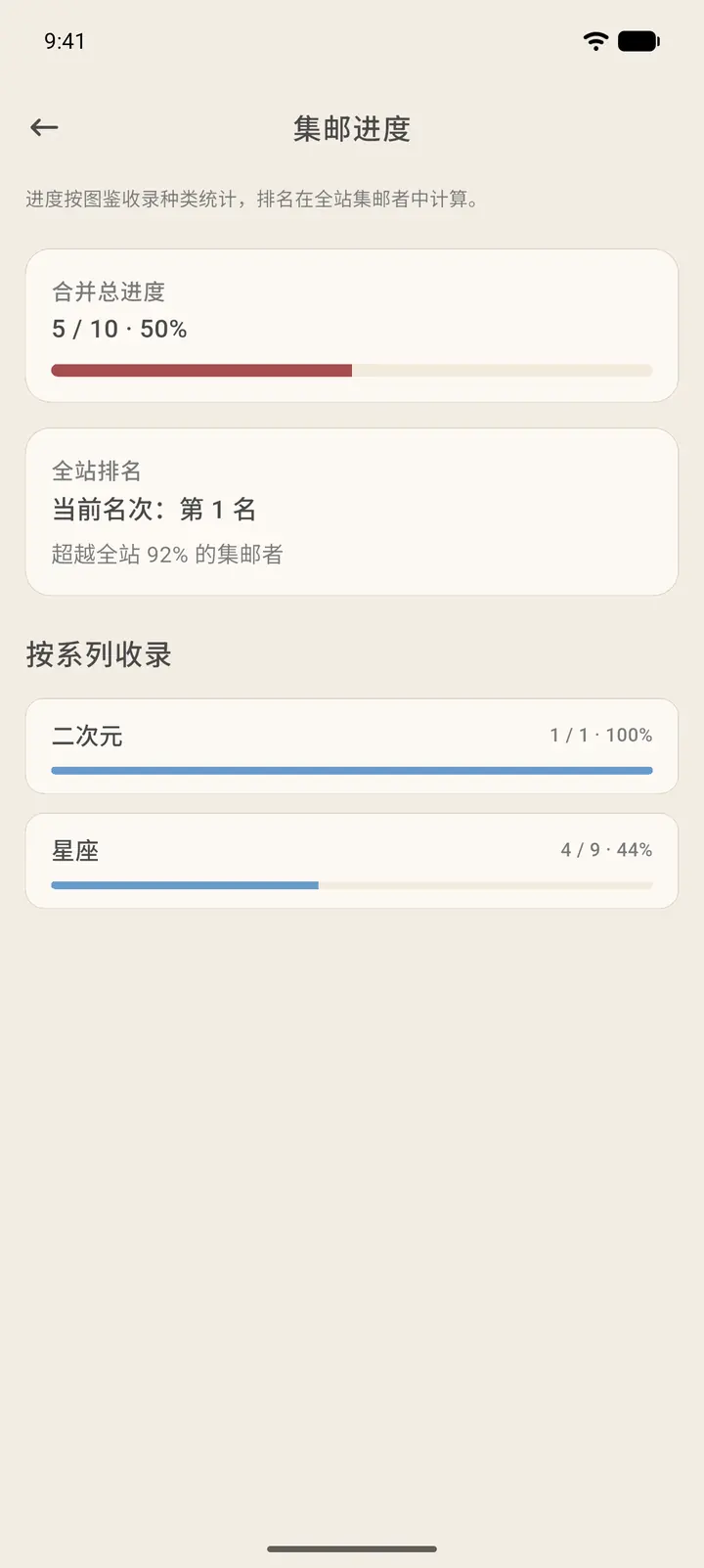
Collecting Progress shows your overall progress (for example 5 / 10), your rank among all users and the share of collectors you've passed. Below that, it lists how many stamps you've collected in each series.
-
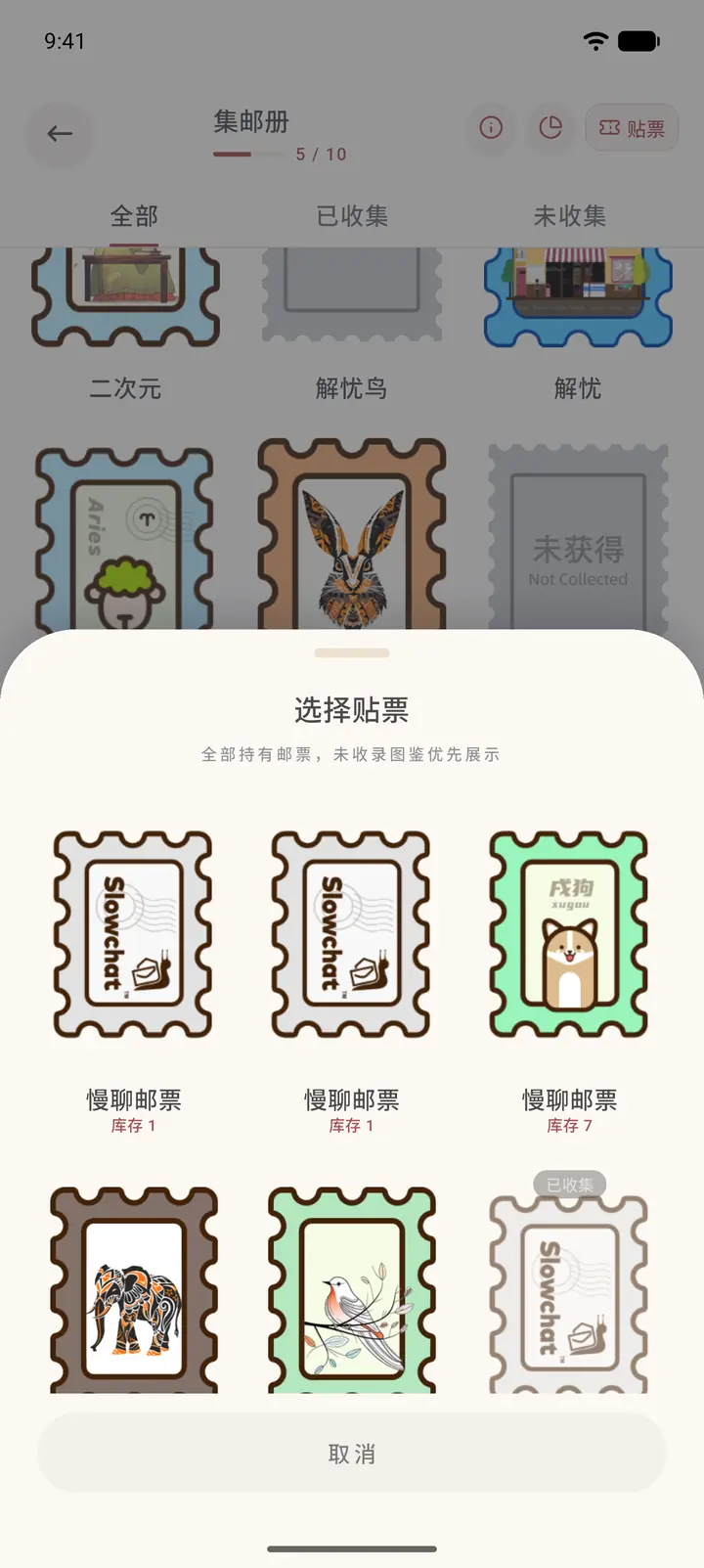
Tap Paste to open Choose a stamp (「选择贴票」), which lists the stamps you own and how many of each you have. Pick one to paste it in.
Result
Stamps you've used on letters go into the Stamp Album.
FAQ
How do I collect more? Buy them at the Post Office, or collect them automatically from the stamps others use on the letters they send you.