Pen Pal Requests
Once you're pen pals, you can write to each other and see more of each other's profiles. Sending and handling requests are both covered in this chapter.
Where to Find It
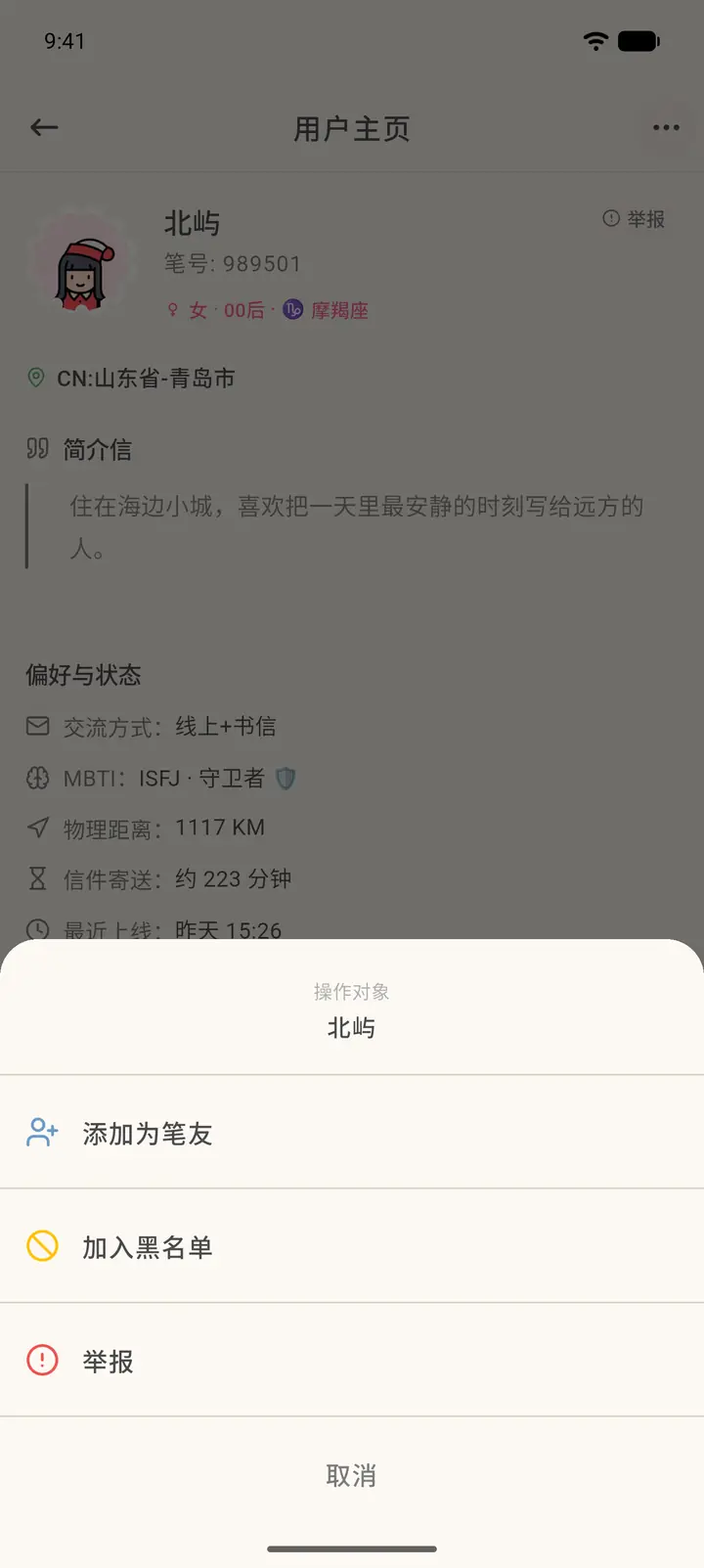
- To send a request: the "⋯" at the top right of their profile → Add as Penpal (「添加为笔友」).
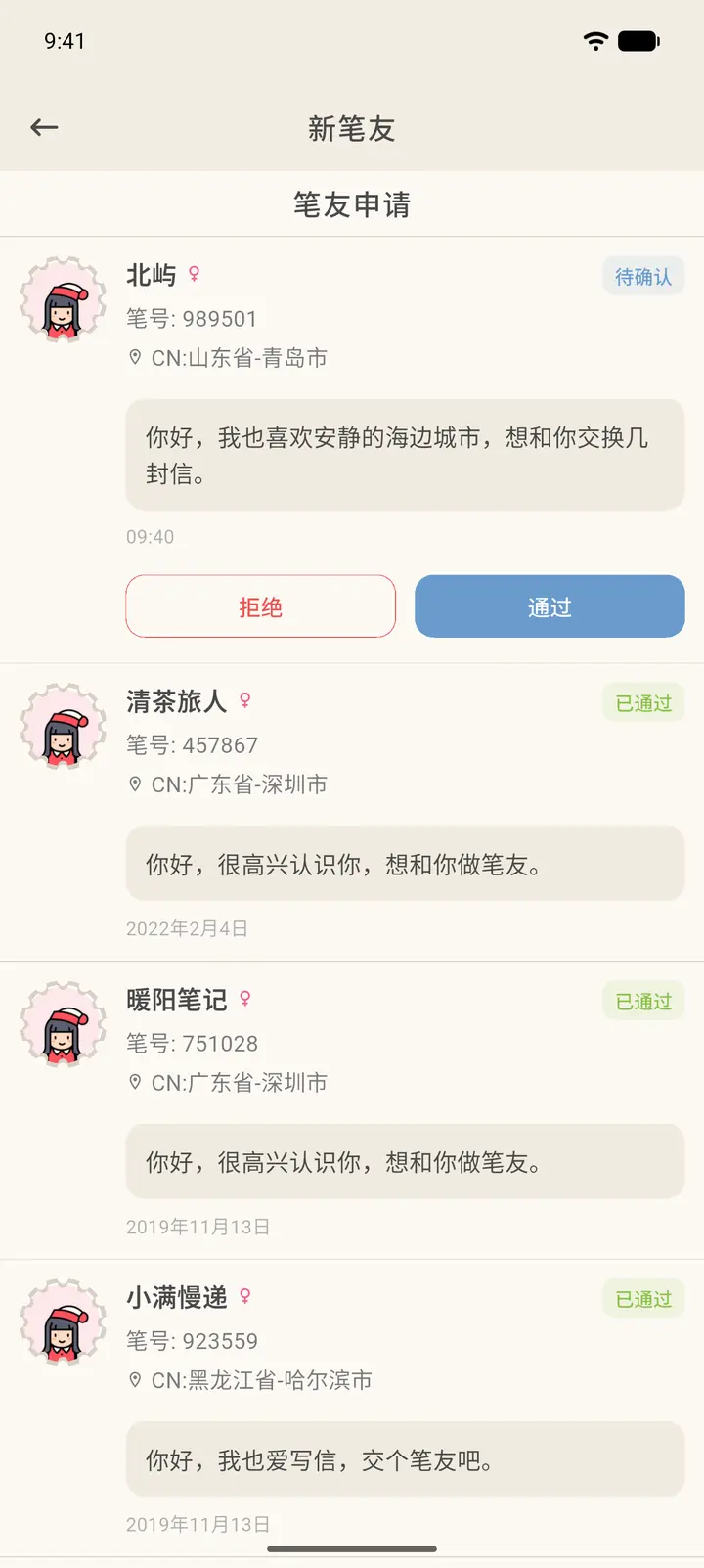
- To handle requests you've received: New Pen Friends (「新笔友」) in Contacts.
Steps
-
On their profile, tap the "⋯" at the top right and choose Add as Penpal. This menu also lets you add them to your blocklist or report them.
-
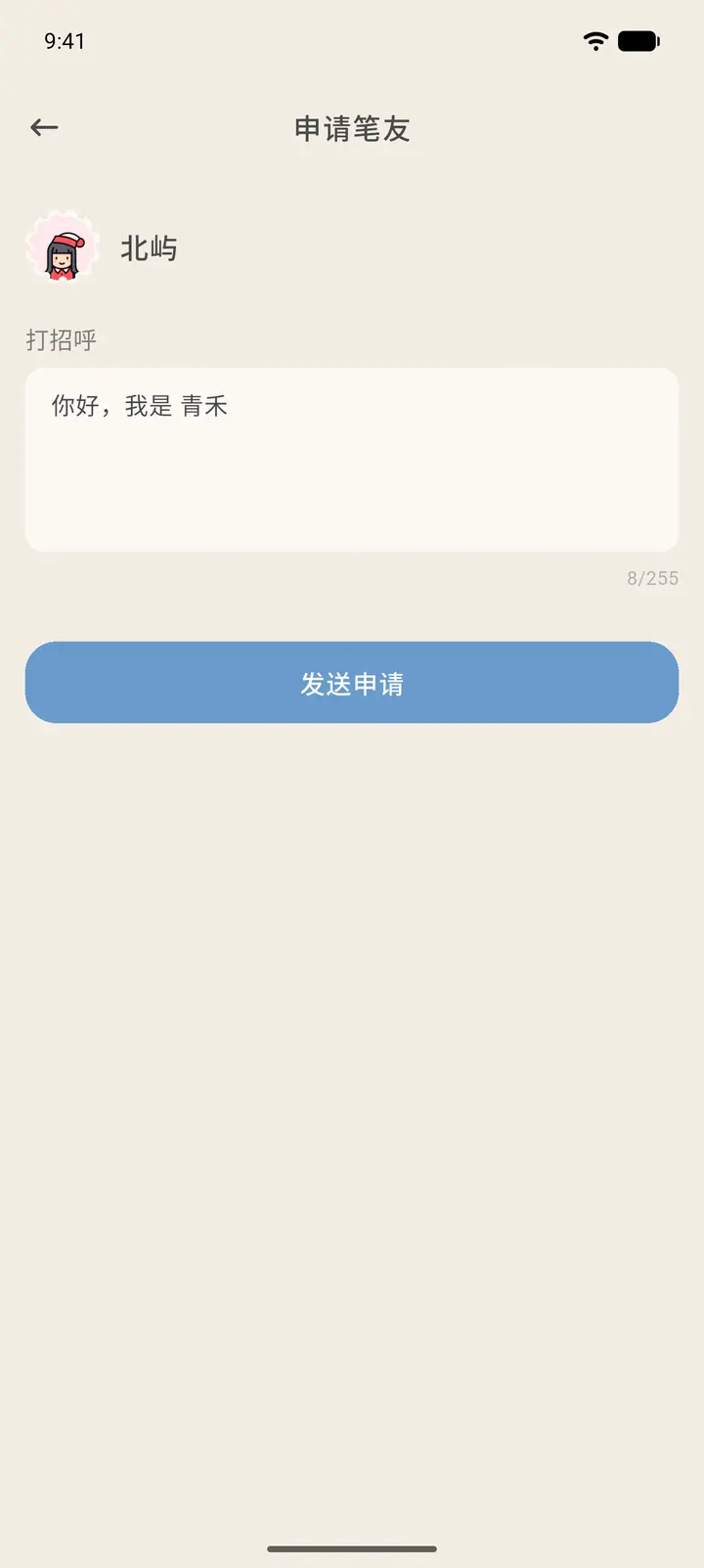
Fill in your request: write a line in Greeting (「打招呼」), up to 255 characters, then tap Send Request (「发送申请」). Once they accept, you're pen pals.
-
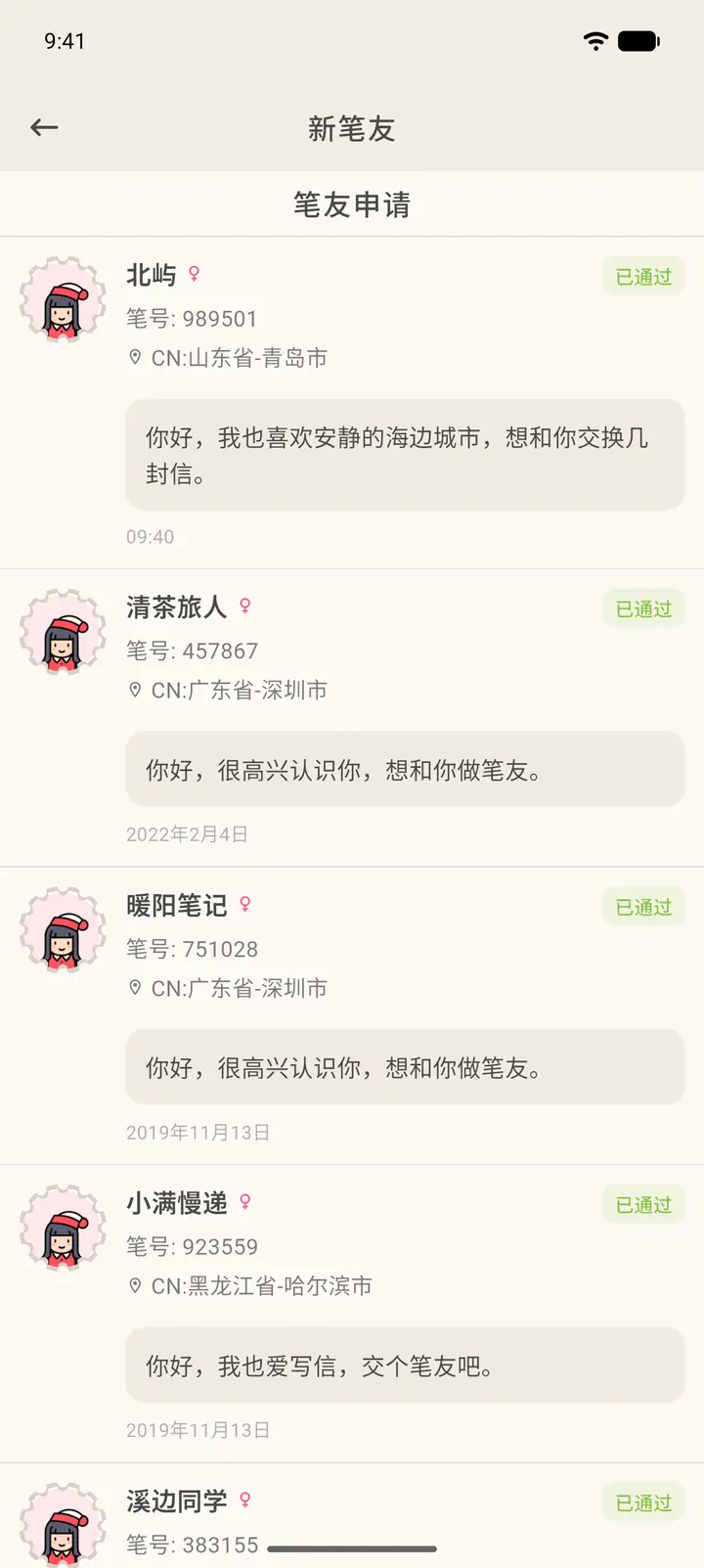
When someone sends you a request, it shows up in New Pen Friends with the status Pending (「待确认」). Each request has Decline (「拒绝」) and Accept (「通过」) buttons below it.
-
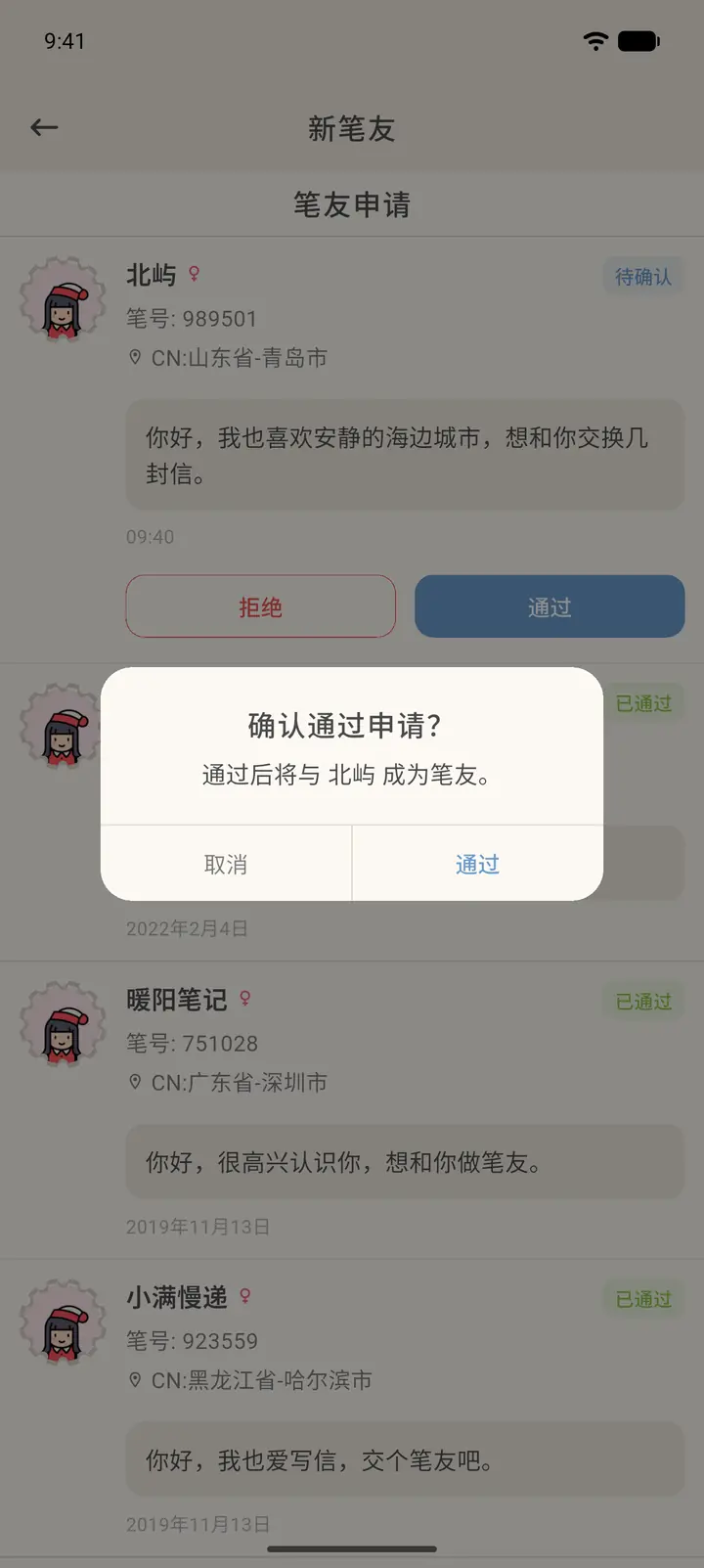
Tap Accept. A confirmation box appears; once you confirm, they become your pen pal.
-
After a request is handled, its status changes to Accepted (「已通过」).
-
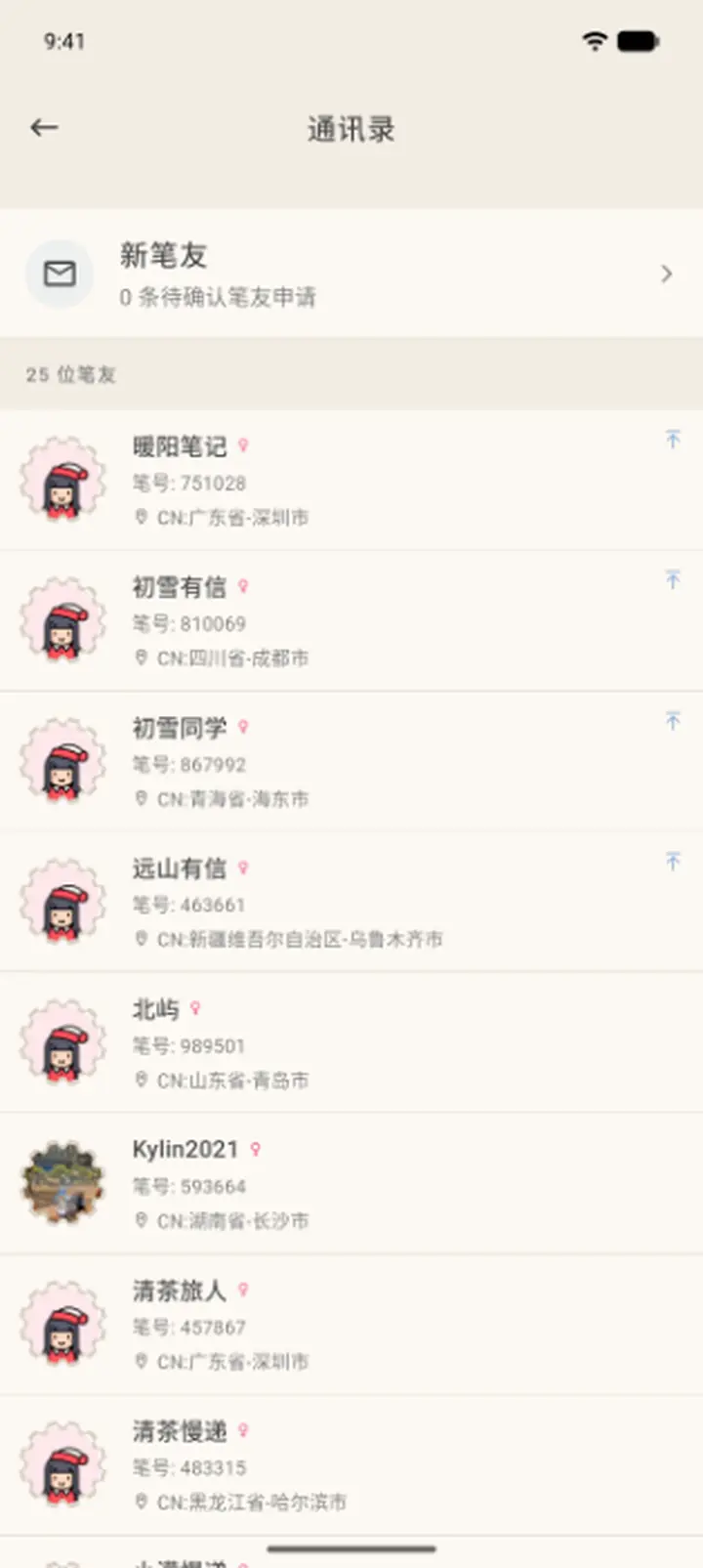
Once you're pen pals, they appear in Contacts (「通讯录」). The total number of pen pals is shown at the top, and New Pen Friends at the very top takes you back to the request list.
Result
Once you're pen pals, your letters appear in the Mailbox. You can also set a note name, pin them, and more from their Penpal Profile (「笔友档案」).
FAQ
What if I don't want to hear from someone anymore? On their Penpal Profile you can remove them as a pen pal, add them to your blocklist, or report them.