My Page
Profile (「我的」) is your personal page, and also the entry point for settings, points, membership and your other personal services.
Where to find it
The Profile tab at the bottom.
Steps
-
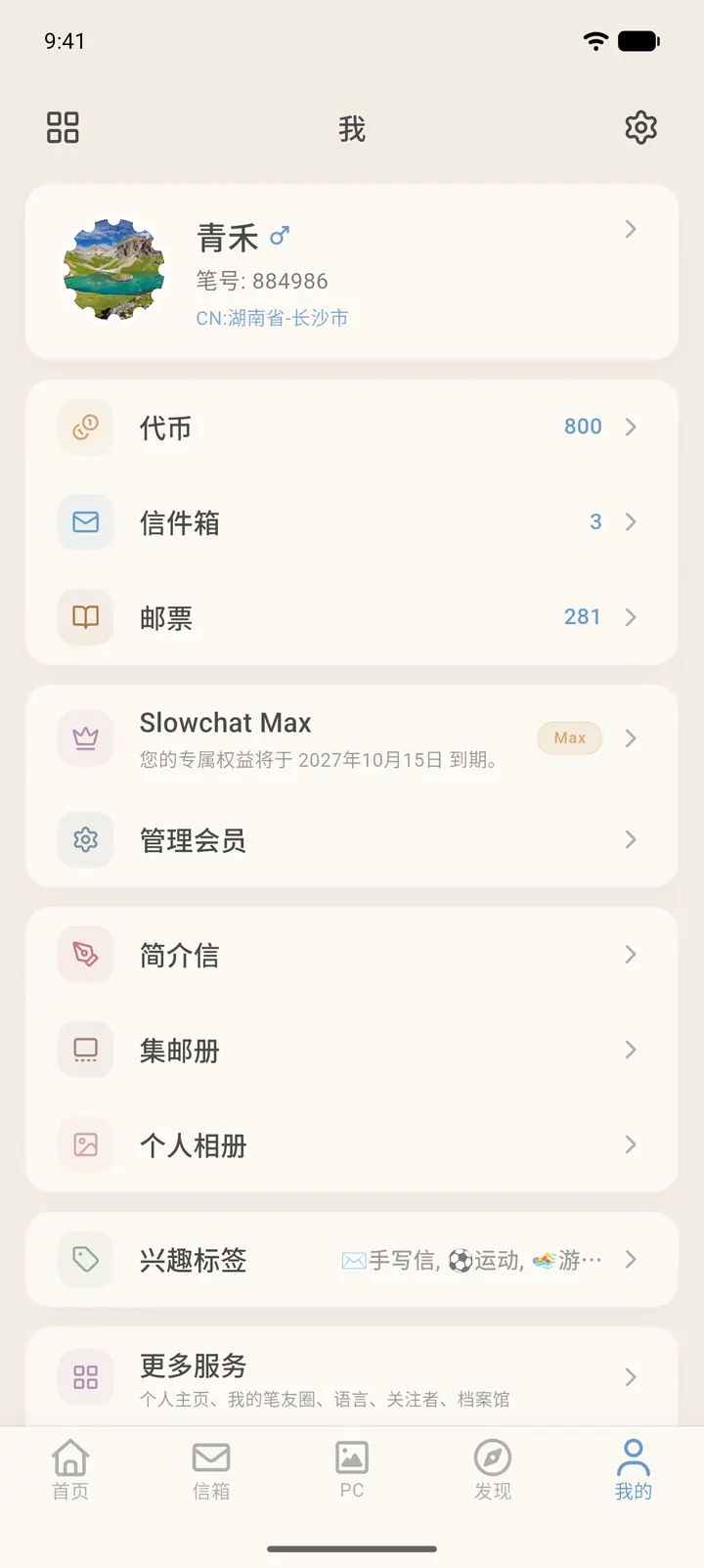
It opens in list style by default. The top row shows your avatar, pen name, pen number and location; tap it to view and edit your profile. The gear in the top right is Settings, and the icon in the top left switches between list and card styles.
-
The first group is Tokens (「代币」), Letters (「信件箱」) and Stamps (「邮票」), with your balance and counts on the right. Below that is the membership card; tap Manage Membership (「管理会员」) to manage your membership.
-
Further down, in order, are Intro Letter (「简介信」), Stamp Album (「集邮册」) and Photo Album (「个人相册」), then Interest Tags (「兴趣标签」), which previews the tags you've chosen on the right.
-
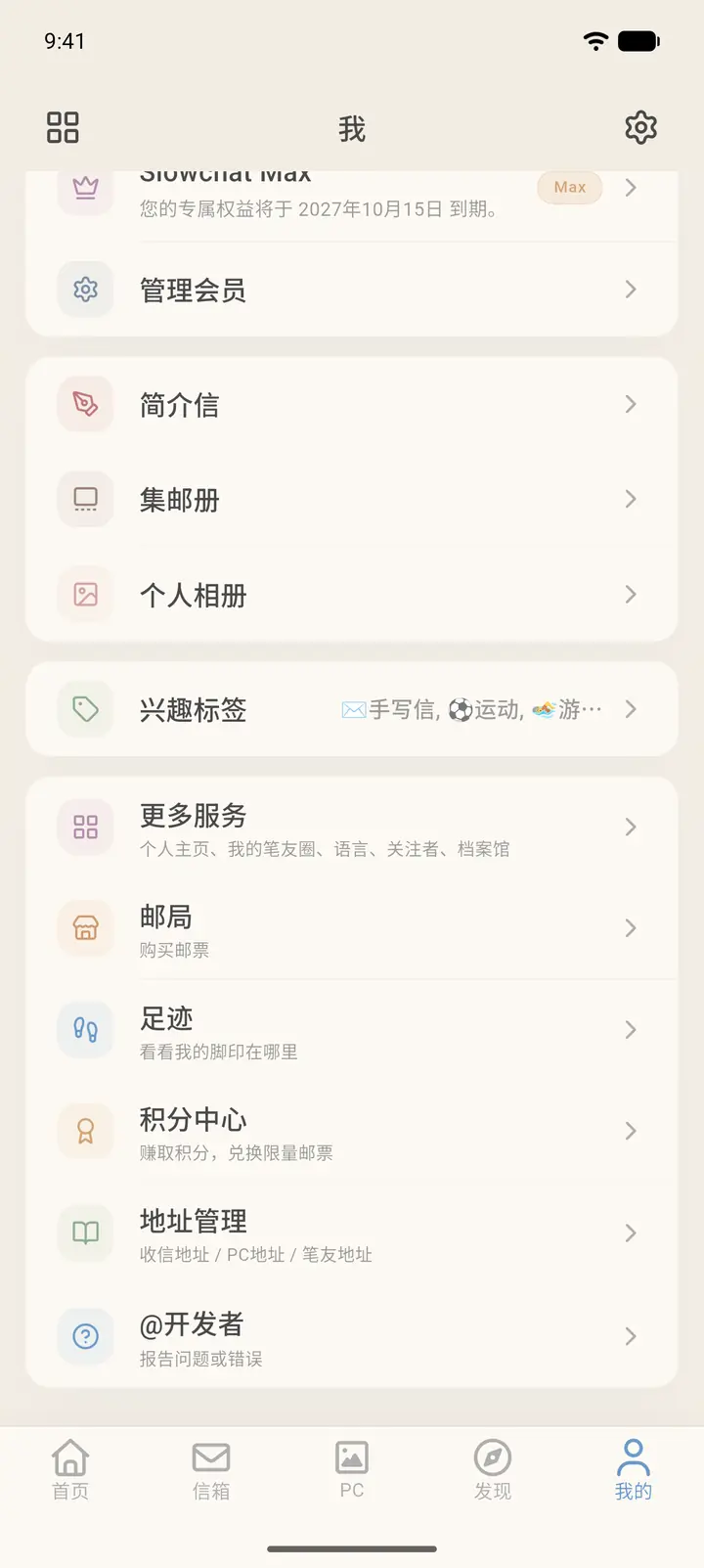
The last group is More Services (「更多服务」), Post Office (「邮局」), Traces (「足迹」), Points Center (「积分中心」), Address Management (「地址管理」) and @Developer (「@开发者」). More Services contains your user profile, your Echoes posts, languages, followers and the archive.
Result
Everything on this page is your own data. What others see on your user profile is a different view.
FAQ
What's the difference between tokens and points? Tokens are used to buy things like stamps. Points are earned through check-ins and tasks, and can be exchanged for tokens.