Mailing Address
Your mailing address is where others send you postcards and letters.
Where to find it
Profile (「我的」) → Address Management (「地址管理」).
Steps
-
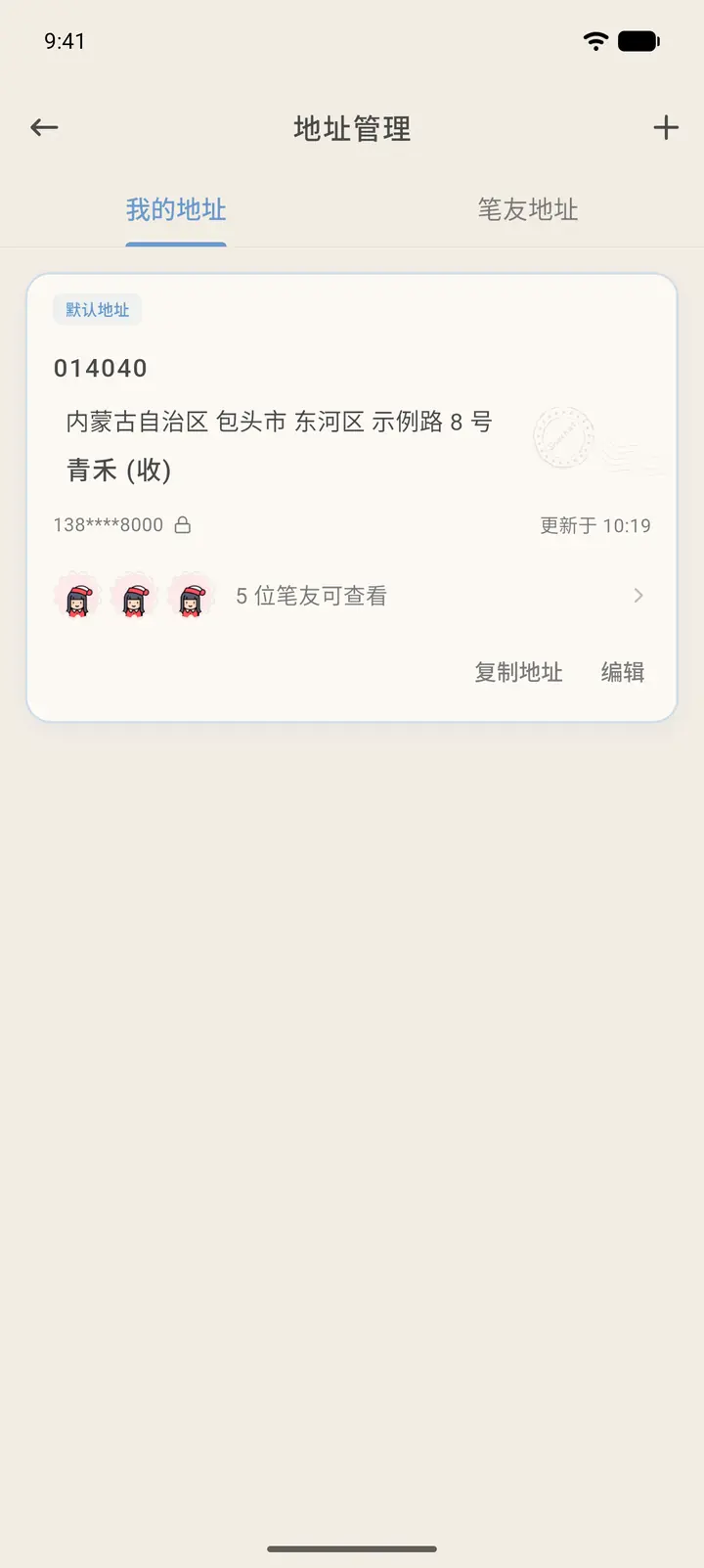
My Addresses (「我的地址」) lists your mailing addresses, with your default address marked. Each address shows the postcode, full address, recipient, phone number (partly hidden) and the time it was last updated.
-
Below an address, you'll see how many pen pals can view it. Tap that row to manage who has access: only the pen pals you authorize can see your address.
-
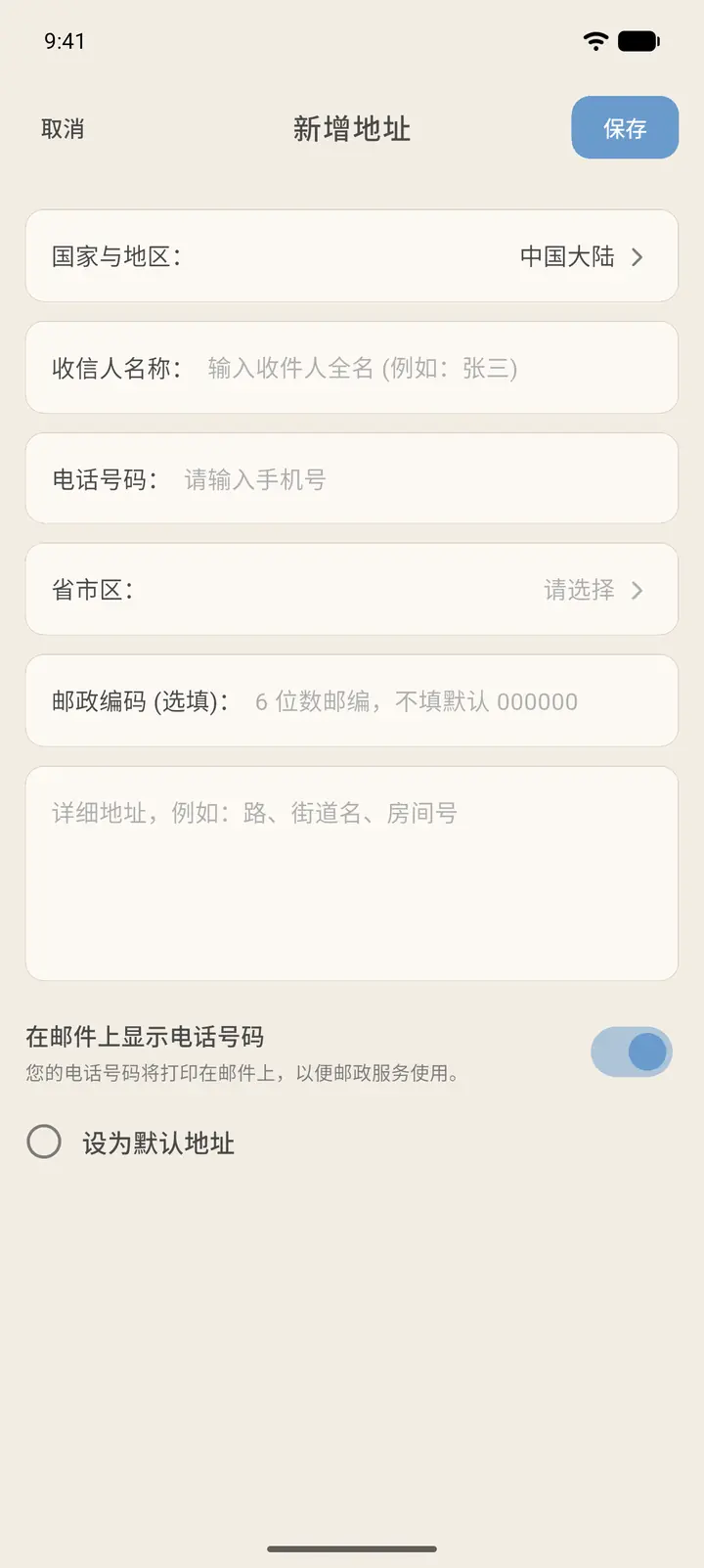
The "+" in the top right opens Add New Address (「新增地址」). Choose your country or region (Chinese mainland by default), then fill in the recipient name, phone number, province/city/district, postcode (optional, 6 digits — if left blank it defaults to 000000) and full address. You can tick Set as Default Address (「设为默认地址」), then tap Save (「保存」). Display Phone Number on Mail (「在邮件上显示电话号码」) controls whether your phone number is printed on mail sent to you.
-
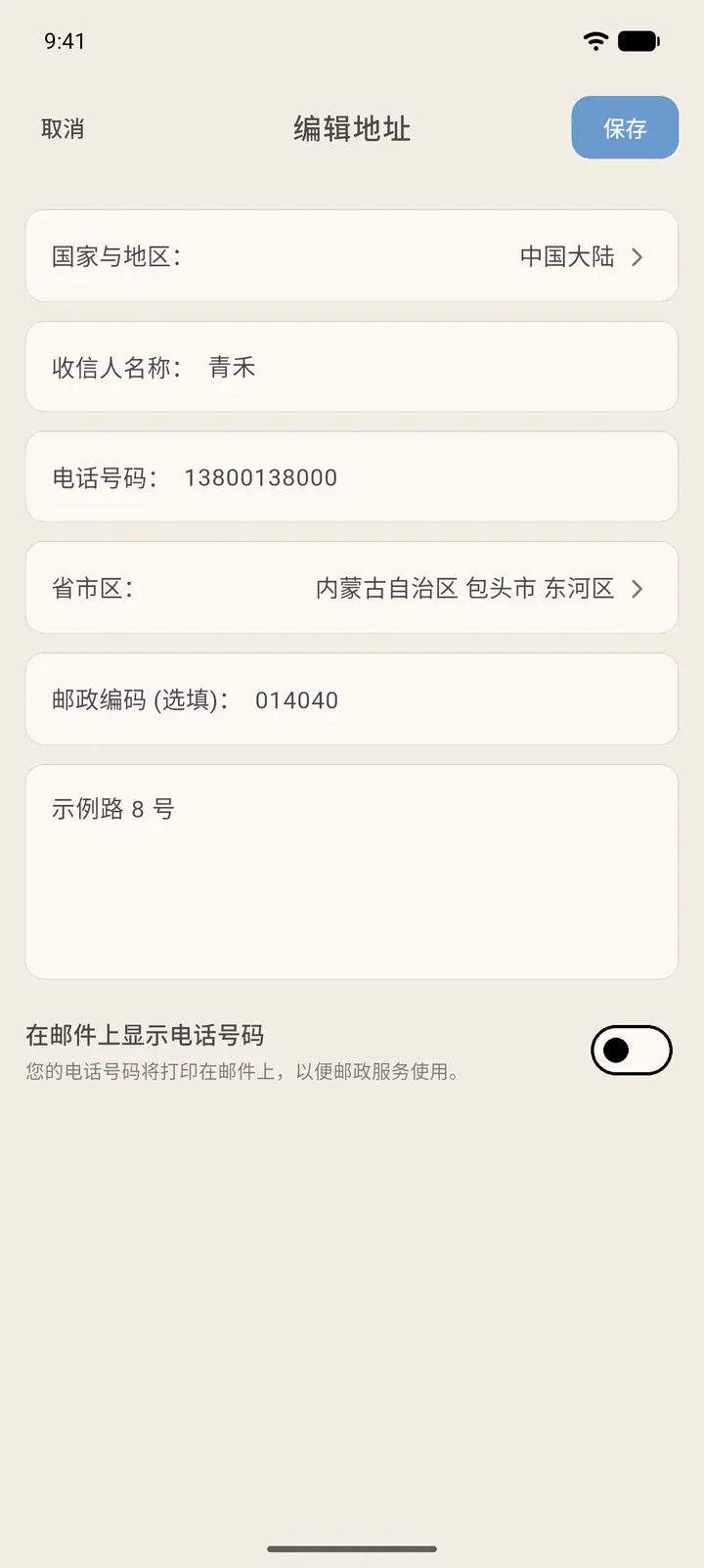
Tap Edit (「编辑」) on an address to open Edit Address (「编辑地址」), make your changes and tap Save.
-
Each address has Copy Address (「复制地址」) and Edit. The Penpal Addresses (「笔友地址」) tab holds the addresses your pen pals have shared with you.
Result
People who send you cards can only see your address after you authorize them.
FAQ
Can others see my phone number in the address? By default only the first and last few digits are shown, never the whole number.