Wonder Store
Write your worries as a letter and drop it into the store's mailbox, and a "helper" will write back. You can also become a helper and reply to other people's letters.
Where to find it
Bottom Discover (「发现」) → Wonder Store (「解忧杂货店」).
Steps
-
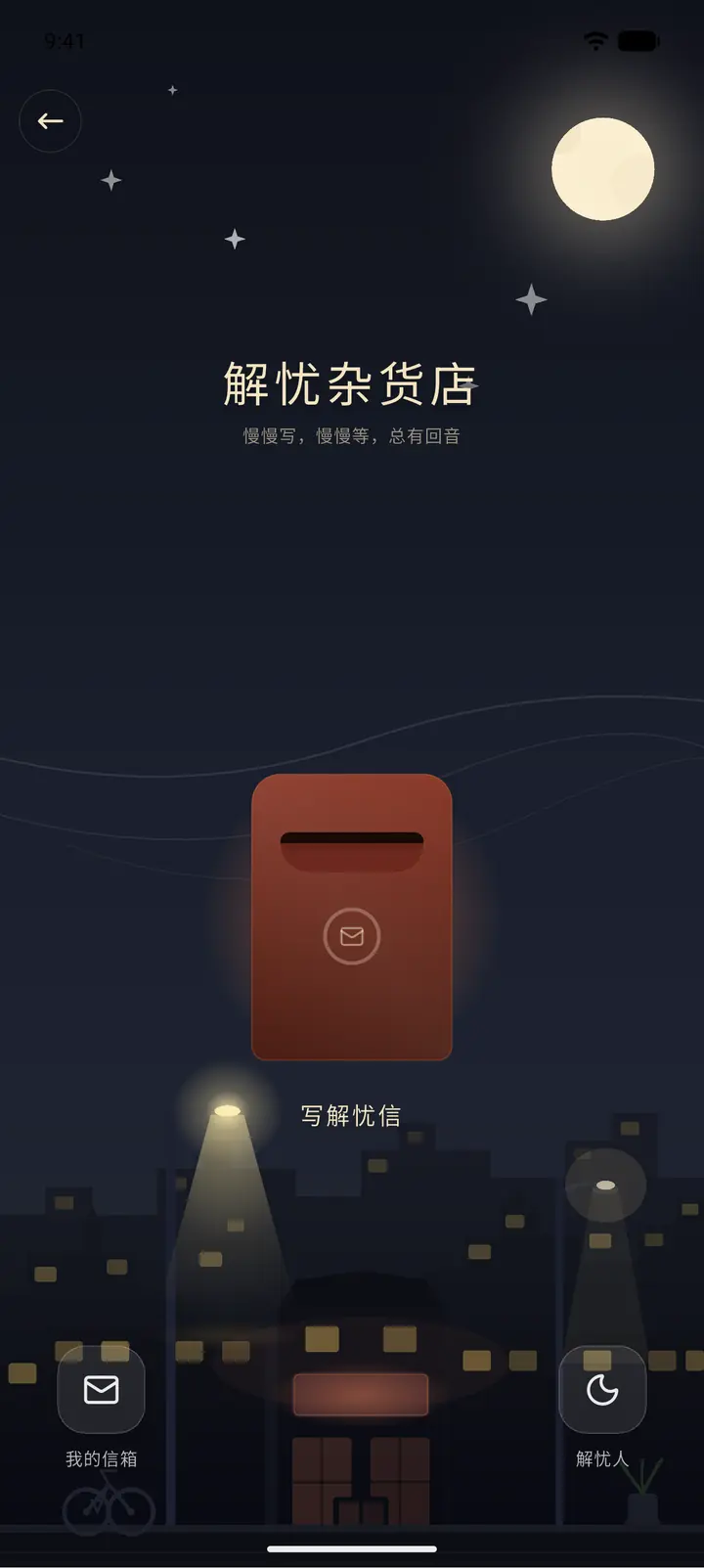
A red mailbox stands at the door of a little shop at night. Tap Write a worry letter (「写解忧信」) to write down what's on your mind. My mailbox (「我的信箱」) at the bottom left holds the letters you've sent, and Helper (「解忧人」) at the bottom right is where you go to reply to others.
-
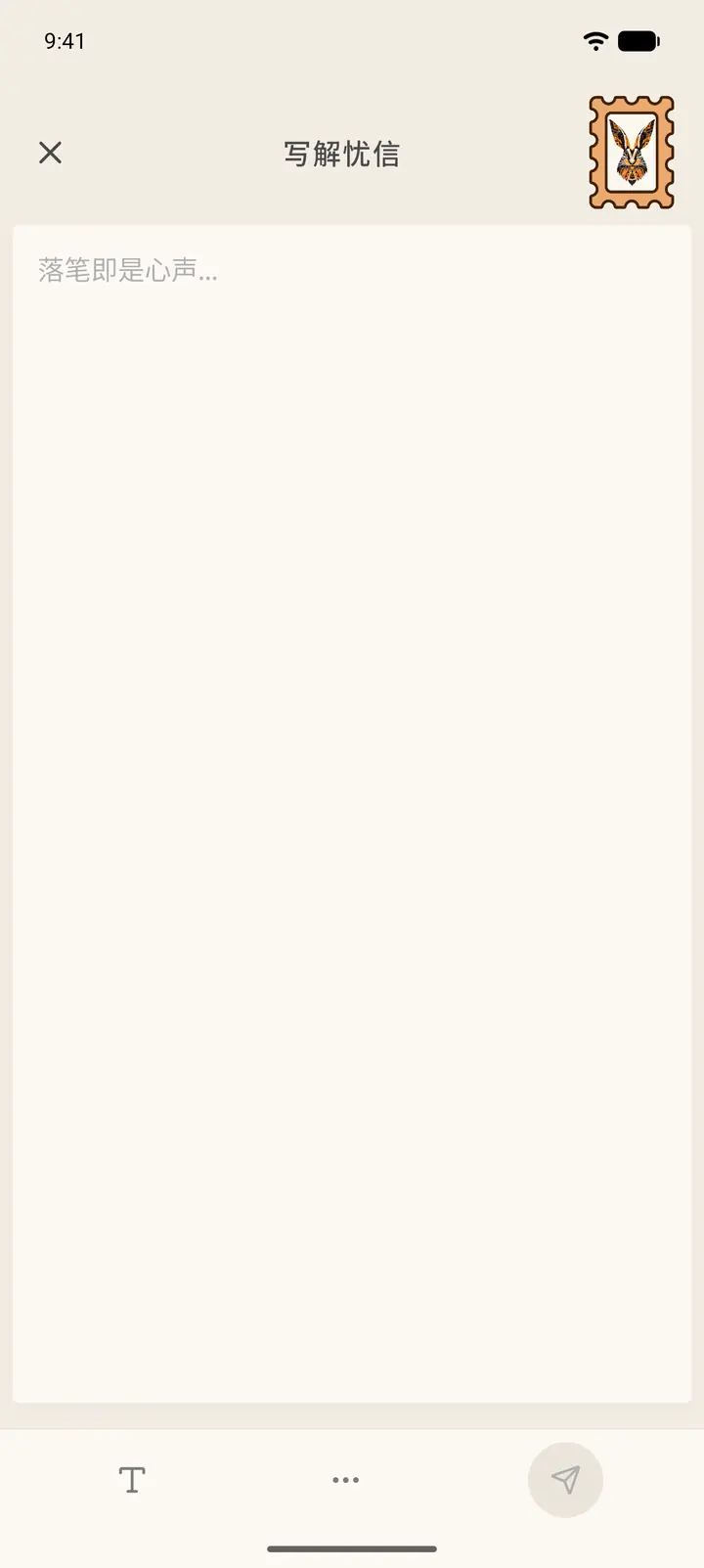
Write what's on your mind on the Write a worry letter page, then tap Send at the bottom right. You can change the stamp at the top, and set the text style with the toolbar at the bottom.
-
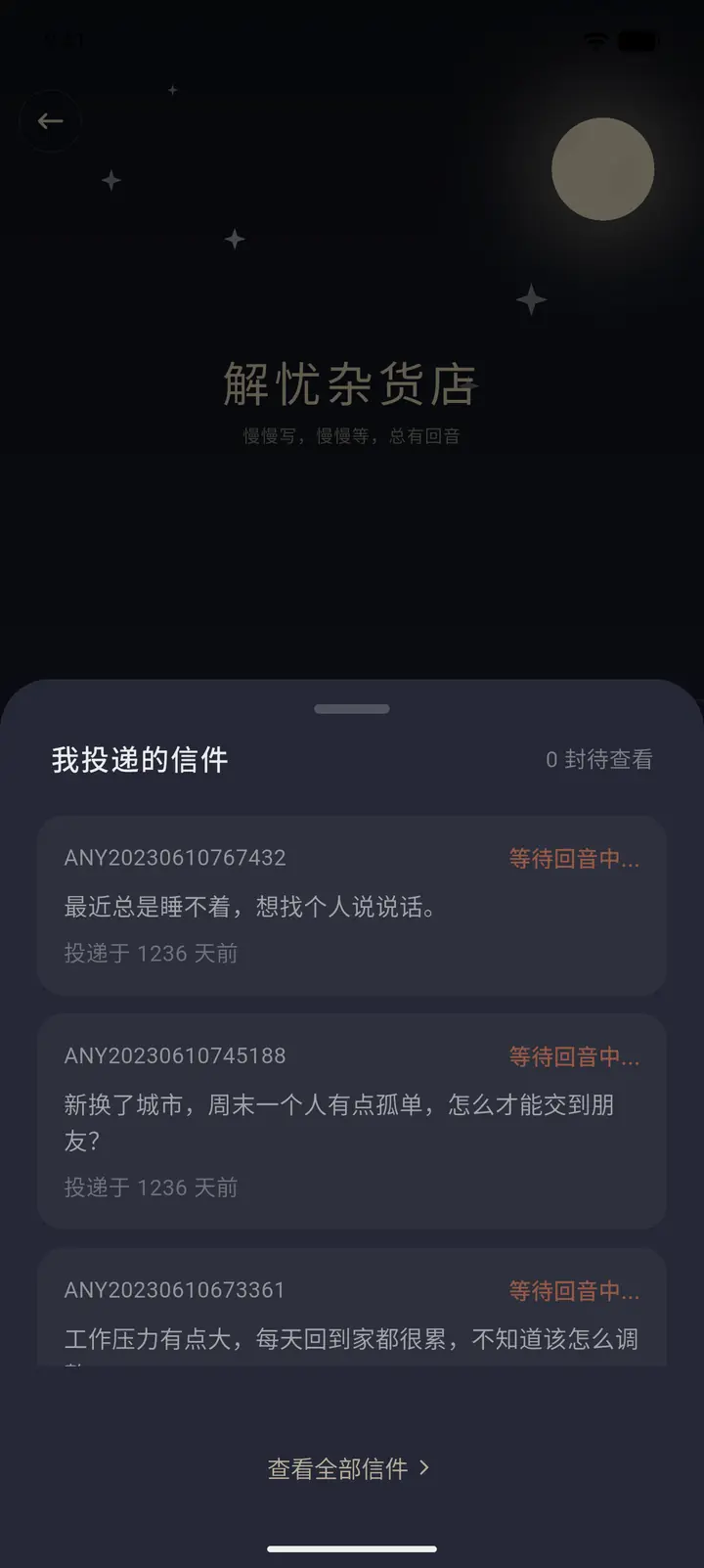
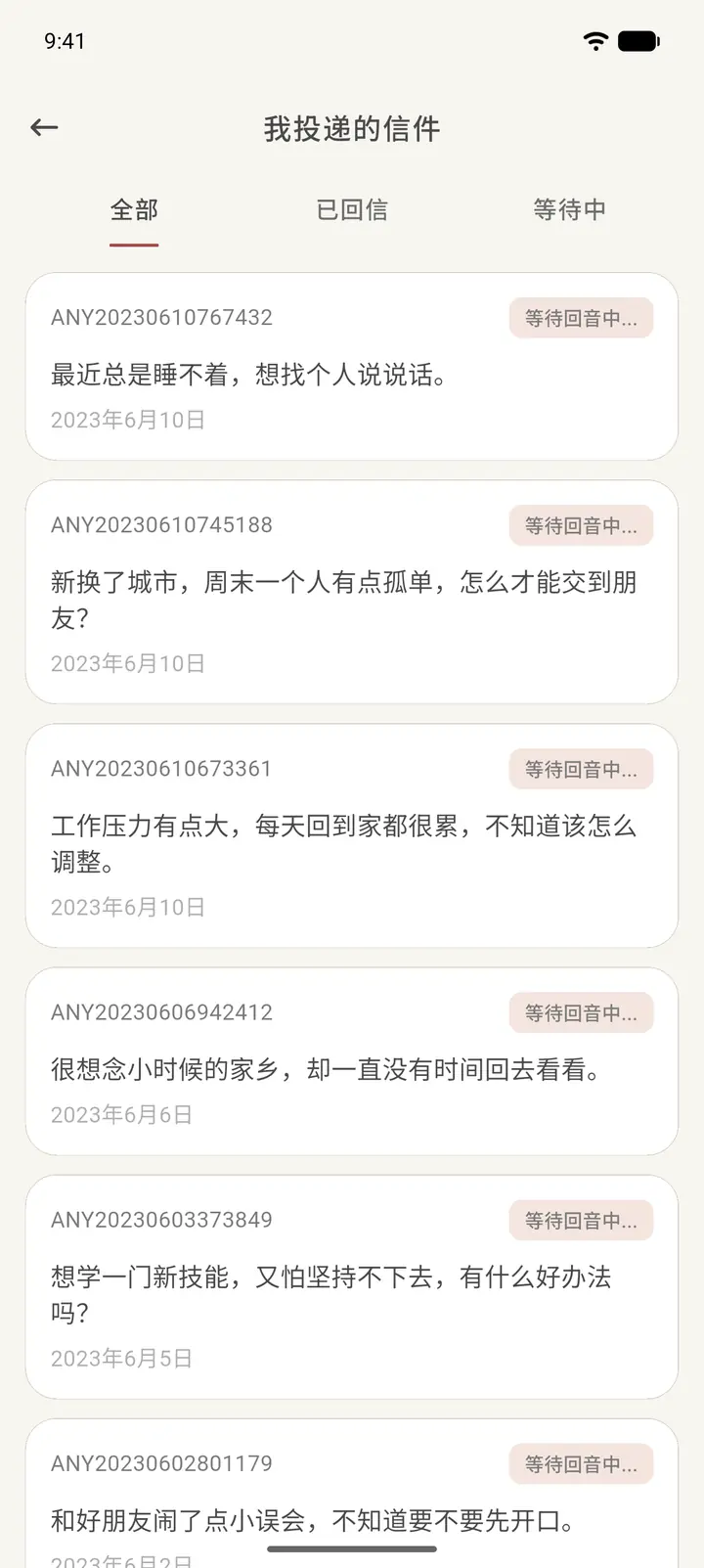
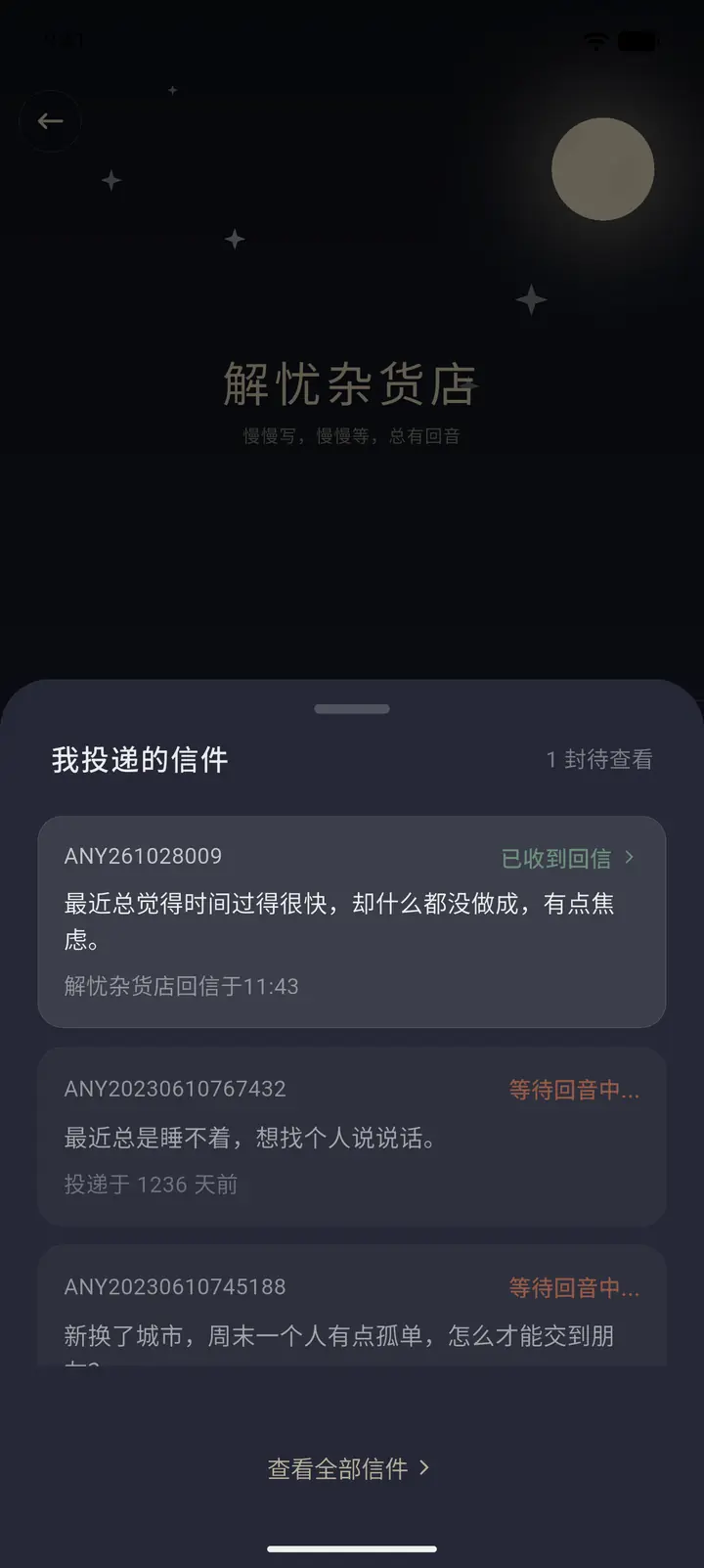
My mailbox holds the letters you've sent. Each letter has a number, and its status is Waiting for a reply (「等待回音中」) or replied. Tap View all letters (「查看全部信件」) to filter by All (「全部」), Replied (「已回信」) or Waiting (「等待中」).
-
Tap Helper to enter the Helper courtyard (「解忧后院」). If you're already a helper, tap Enter workbench (「进入工作台」) to reply to letters. If not, start with Earn helper license (「考取解忧执照」). To learn more, read What is Wonder Store? (「什么是解忧杂货店?」).
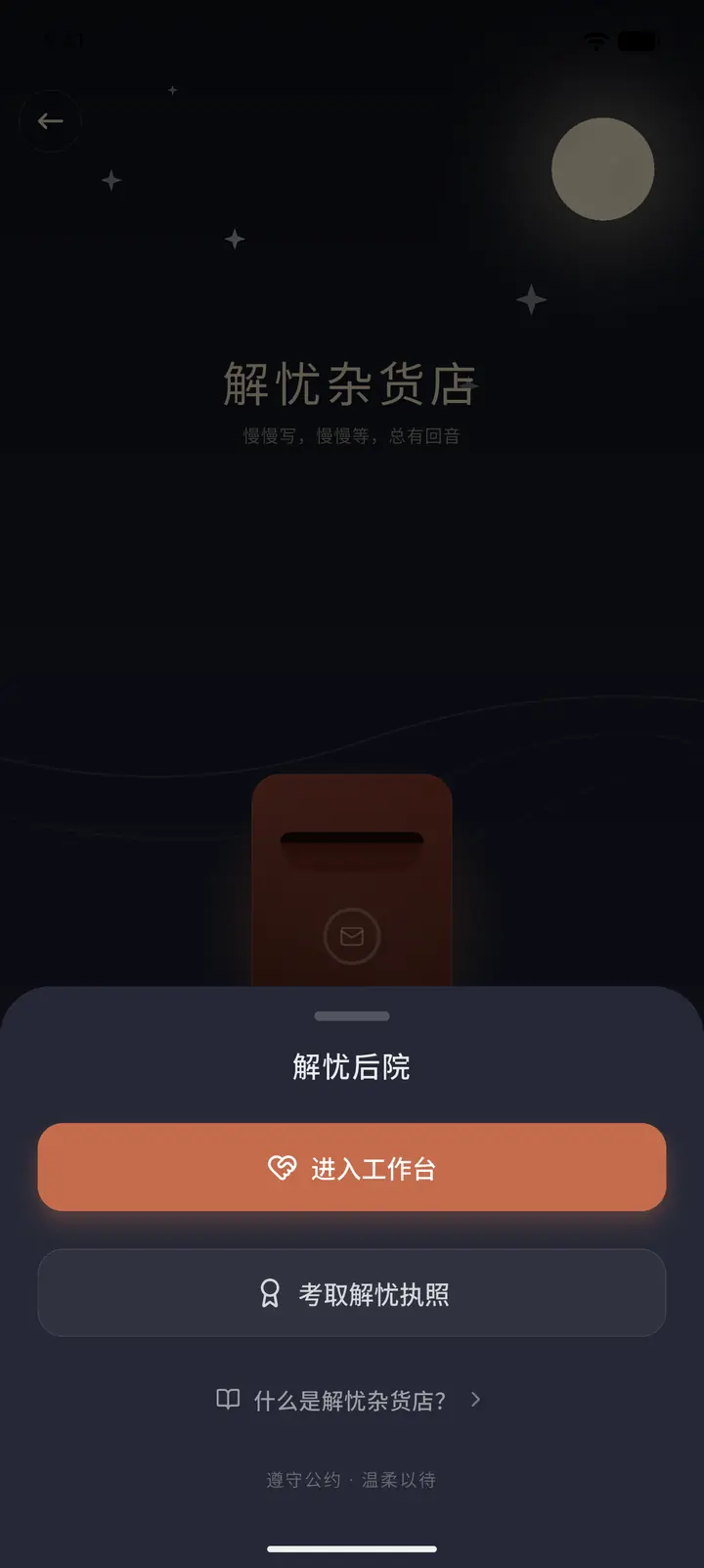
Become a helper
-
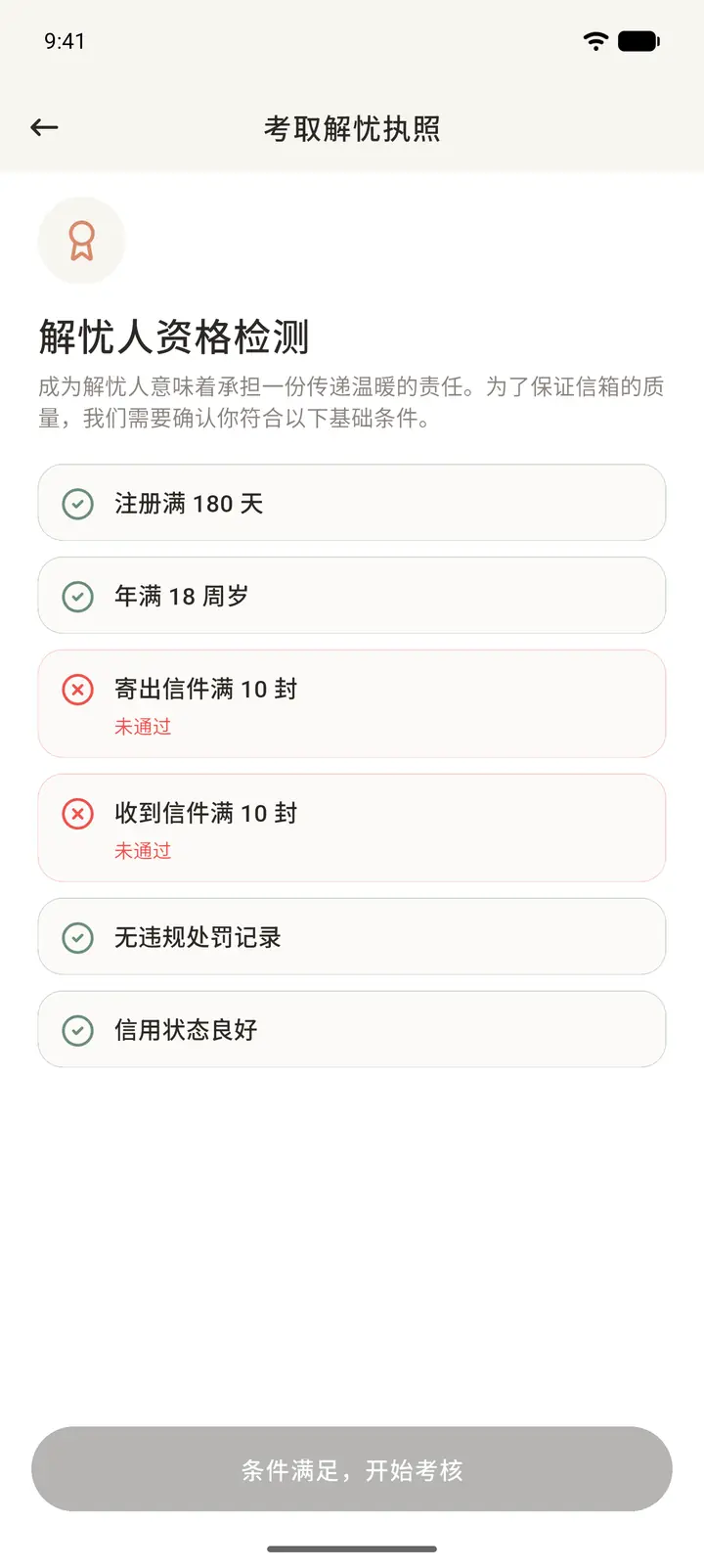
In the Helper courtyard, tap Earn helper license to open the Eligibility check (「解忧人资格检测」). You need to meet all six conditions: registered for at least 180 days, aged 18 or over, at least 10 letters sent, at least 10 letters received, no penalty records, and a good credit status. Any condition you haven't met is marked in red with Not met (「未通过」). The button at the bottom only becomes Eligible — start assessment (「条件满足,开始考核」) once you meet them all.
-
Once you're eligible, follow the prompts to complete the assessment (multiple-choice questions and a practice reply). After you pass, you become a Probation helper (「见习解忧人」). During the probation period you can reply to at most 1 letter per day, and after 5 replies in total you become a full helper.
Workbench
-
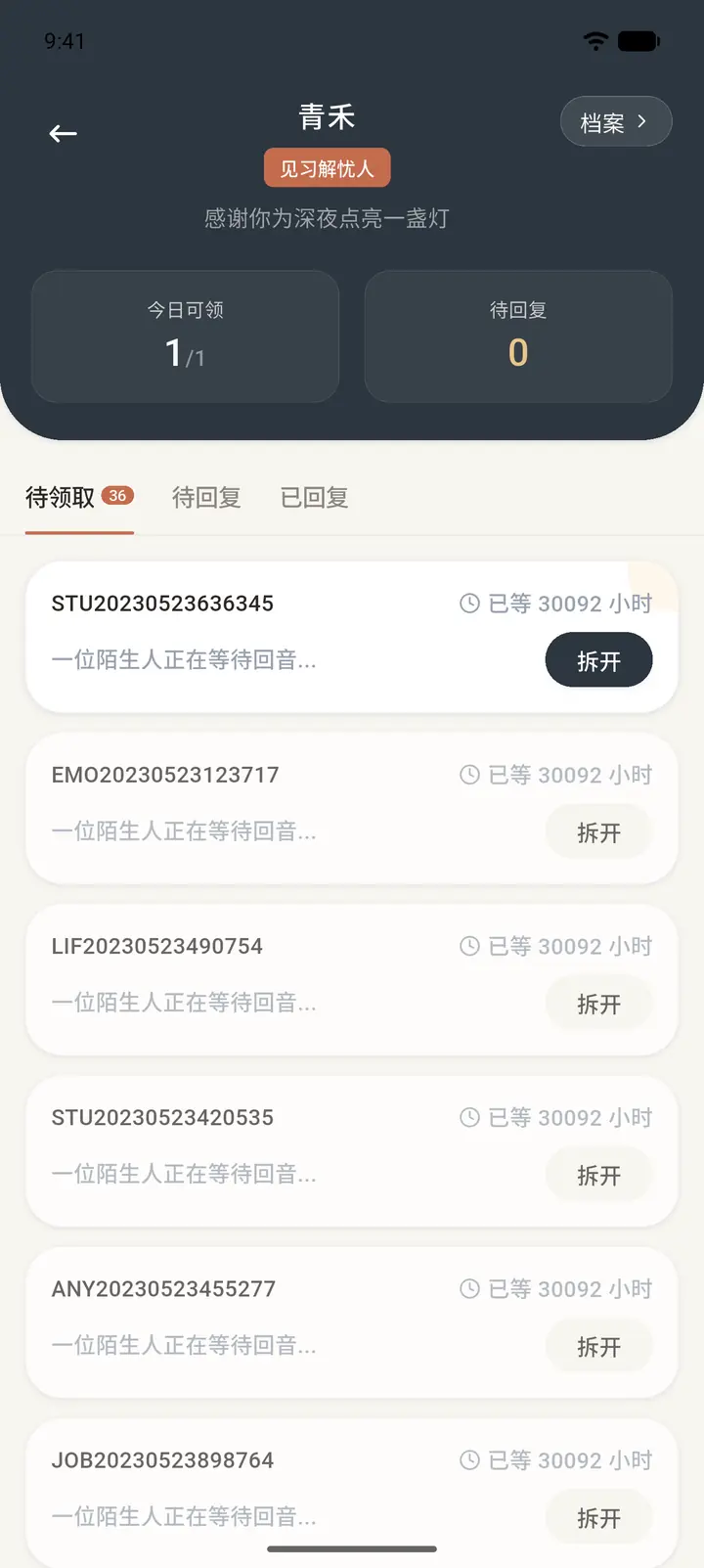
Once you're qualified, tap Enter workbench in the Helper courtyard. Your pen name and role badge are at the top, with two numbers below: Available today (「今日可领」) is how many more letters you can claim today, and To reply (「待回复」) is the letters you've claimed but haven't finished. Profile (「档案」) at the top right opens your helper profile.
-
Below are three tabs: To claim (「待领取」), To reply and Replied (「已回复」). To claim shows letters in the pool waiting for a reply. The list only shows the letter number and the line "A stranger awaits your reply" (「一位陌生人正在等待回音」), so the sender's identity is never revealed. Tap Open (「拆开」) to claim a letter, and it moves to To reply.
-
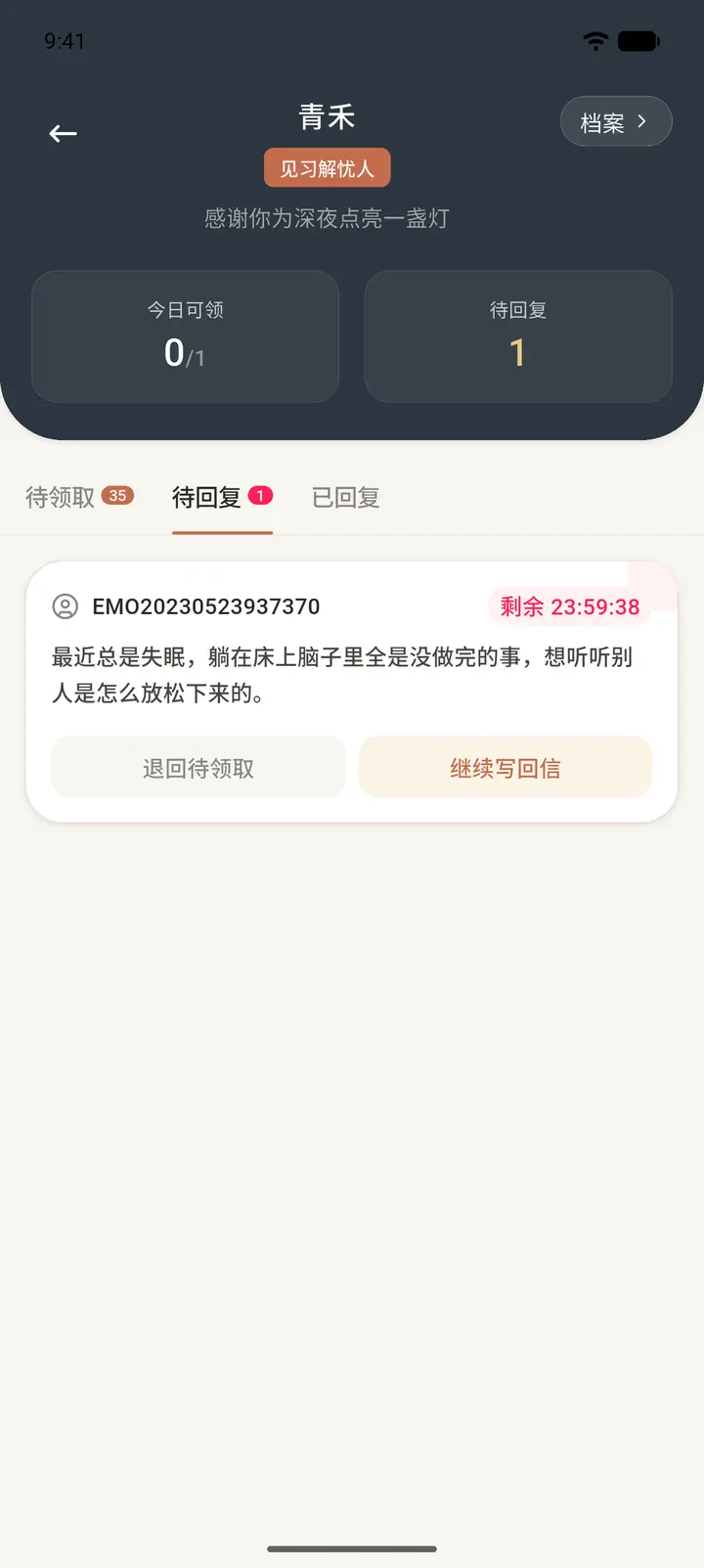
Letters in To reply come with a countdown (for example, "23:59:38 left"), so finish your reply within the time limit. Tap Continue reply (「继续写回信」) to keep writing, or Return to pool (「退回待领取」) to put the letter back so someone else can reply.
-
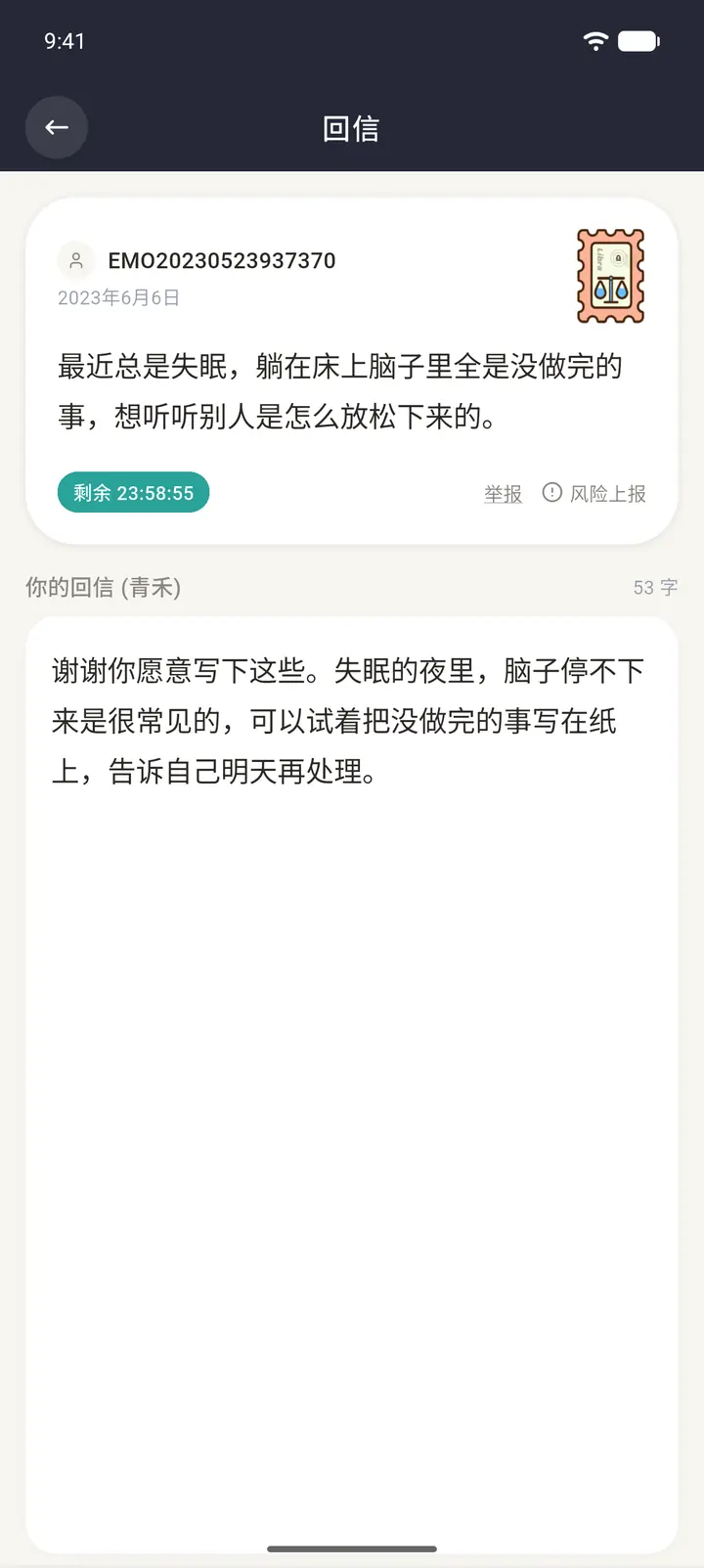
Tap Continue reply to open the Reply (「回信」) page: the other person's letter and the time left are at the top, your reply is below, and the word count is on the right. If a letter involves risk or isn't appropriate, you can tap Report (「举报」) or Report risk (「风险上报」) below it. When you've written your reply, send it, and the letter moves to Replied.
-
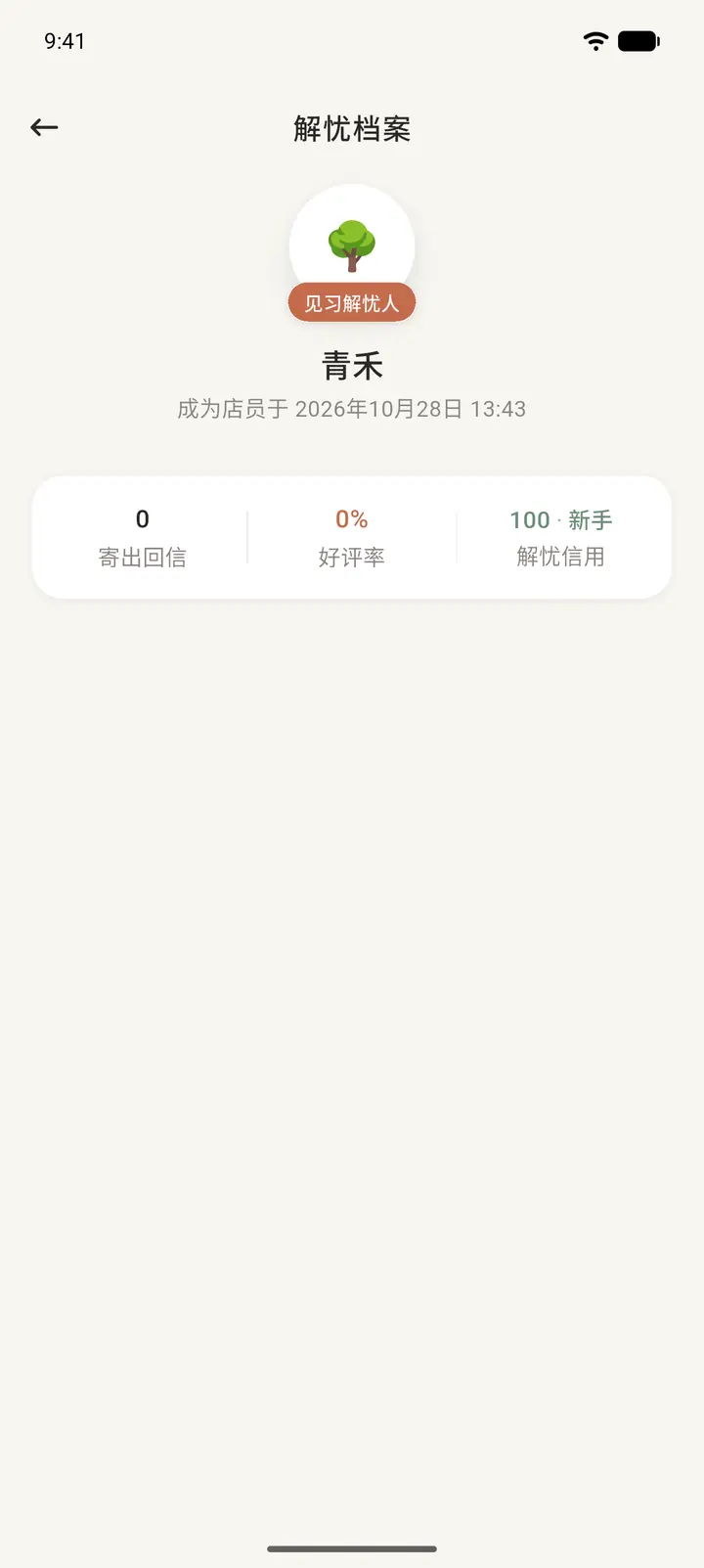
Tap Profile at the top right to open your Helper profile (「解忧档案」). It shows your role, when you became a clerk, and three stats: Replies sent (「寄出回信」), Helpful rate (「好评率」) and Helper credit (「解忧信用」).
Receive a reply and rate it
-
When a helper replies to a worry letter you sent, the letter's status in My mailbox changes to Reply received (「已收到回信」).
-
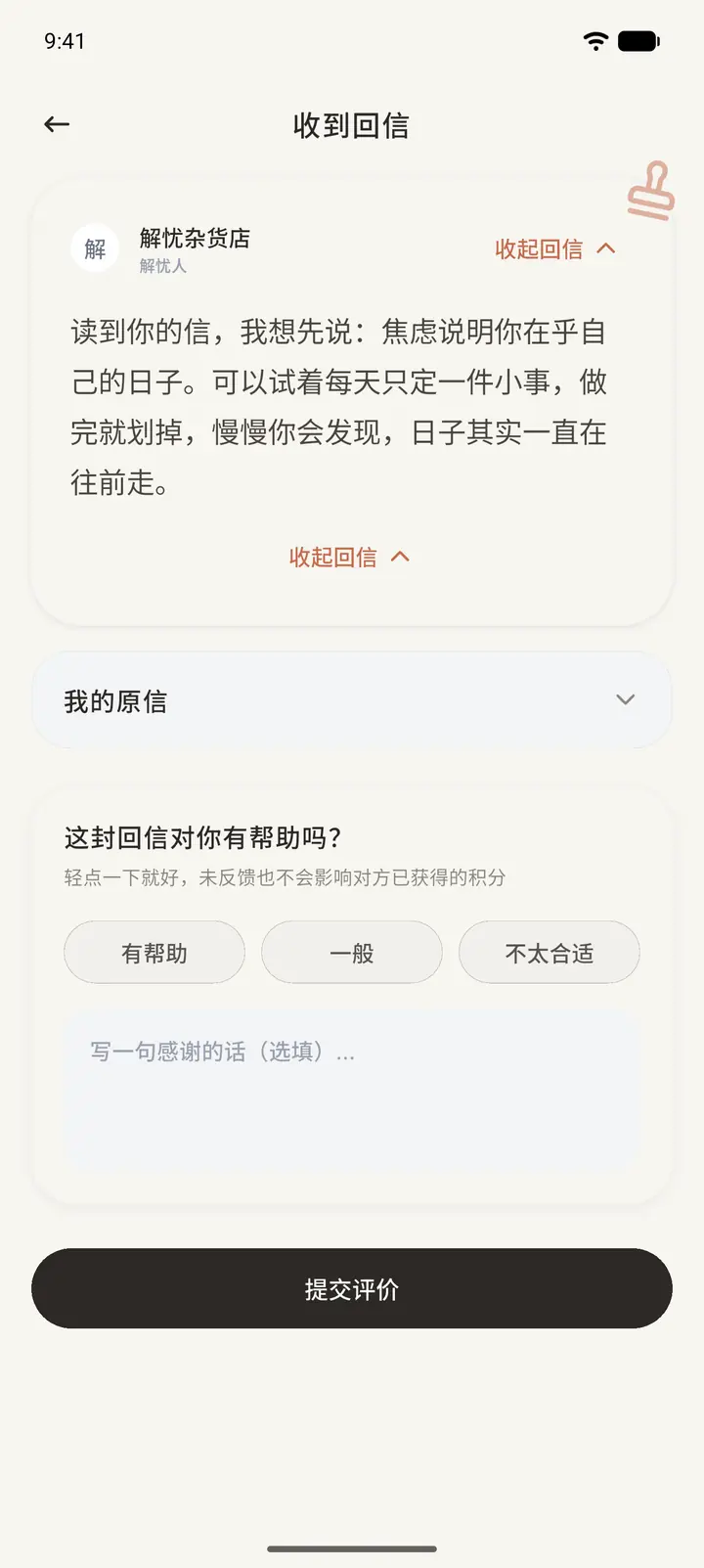
Tap it to open the Reply received (「收到回信」) page: the helper's reply is at the top and you can expand or collapse it, and My letter (「我的原信」) lets you reread what you wrote. At the bottom, Was this reply helpful? (「这封回信对你有帮助吗?」) offers three choices: Helpful (「有帮助」), Okay (「一般」) and Not a fit (「不太合适」). You can also add a short thank-you note (optional). Tap Submit feedback (「提交评价」) to finish. Your feedback affects the helper's helpful rate.
Result
The reply appears in My mailbox, and the letter's status changes to replied.
FAQ
How long does a reply take? Like any letter, it takes a while to arrive.
How do I become a helper? In the Helper courtyard, tap Earn helper license. After you meet the six conditions of the eligibility check, follow the prompts to complete the assessment.
What happens if I don't finish a letter in To reply in time? A letter you didn't finish in time goes back into the pool, and other helpers can claim it. Timing out repeatedly affects your helper credit.