My Album
Albums hold the photos you want to share. You can make them public or visible only to you.
Where to find it
Profile (「我的」) → Photo Album (「个人相册」).
Steps
-
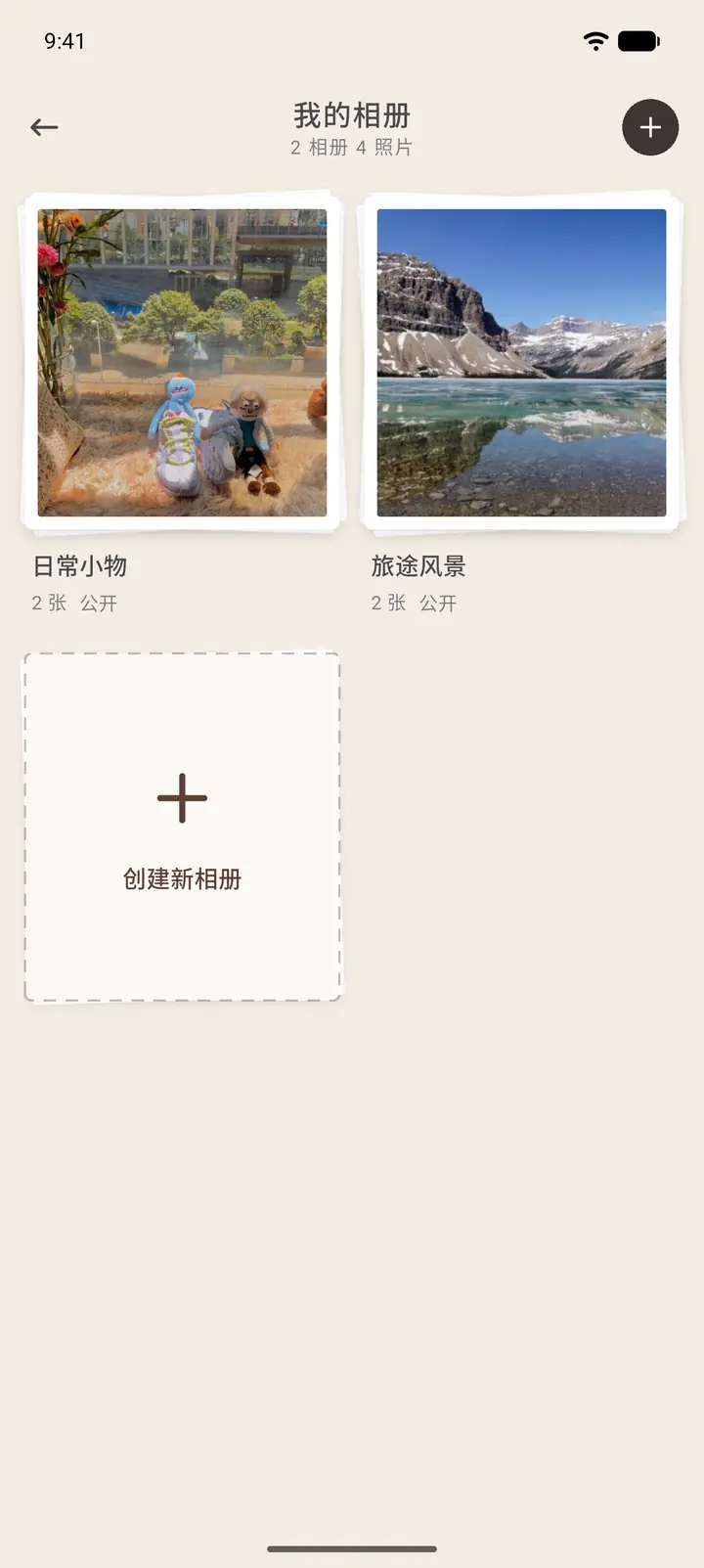
Each album in the list shows its cover, name, photo count and visibility. Tap Create New Album (「创建新相册」) to make one.
-
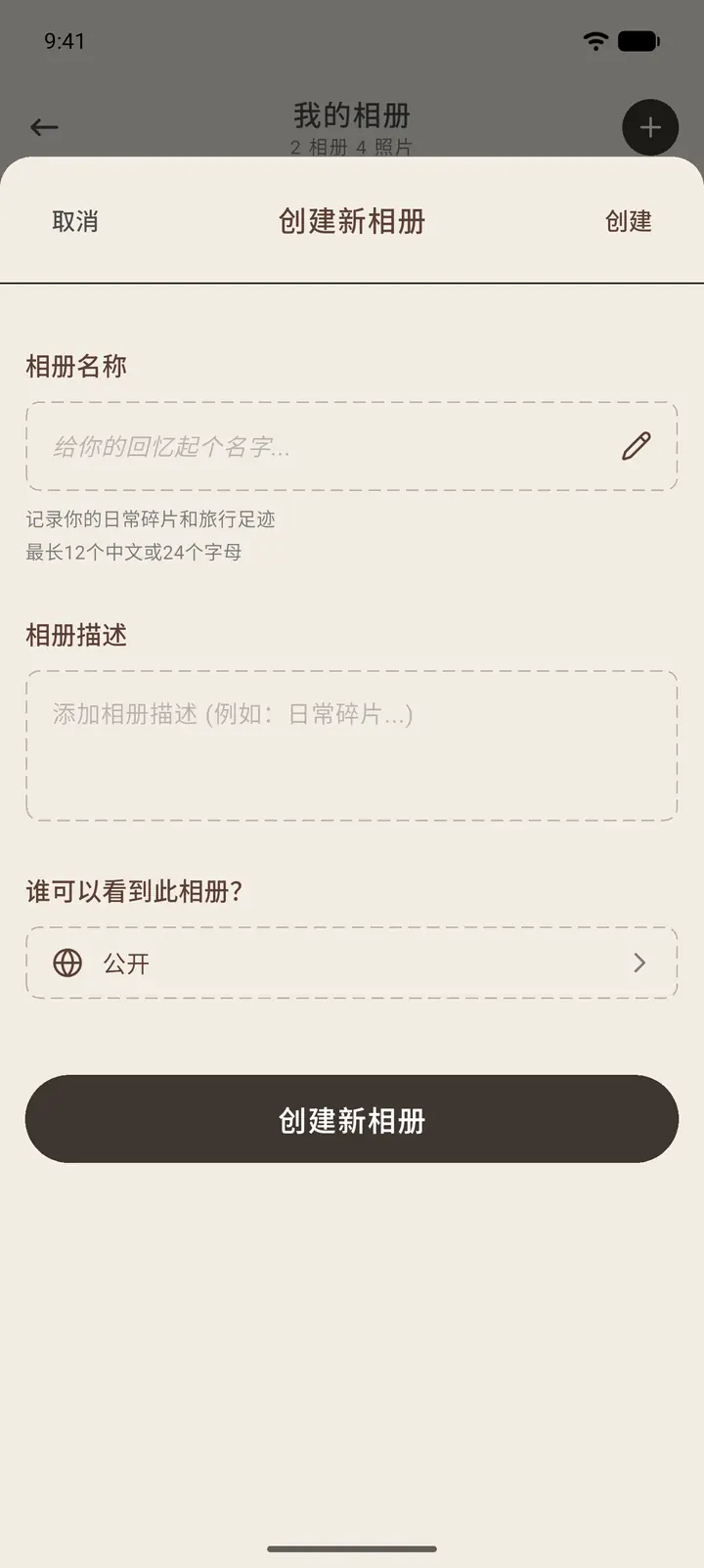
Tap Create New Album, then fill in the album name (up to 12 Chinese characters) and description, and choose Who can view this album? (「谁可以看到此相册」). Tap Create New Album again to finish.
-
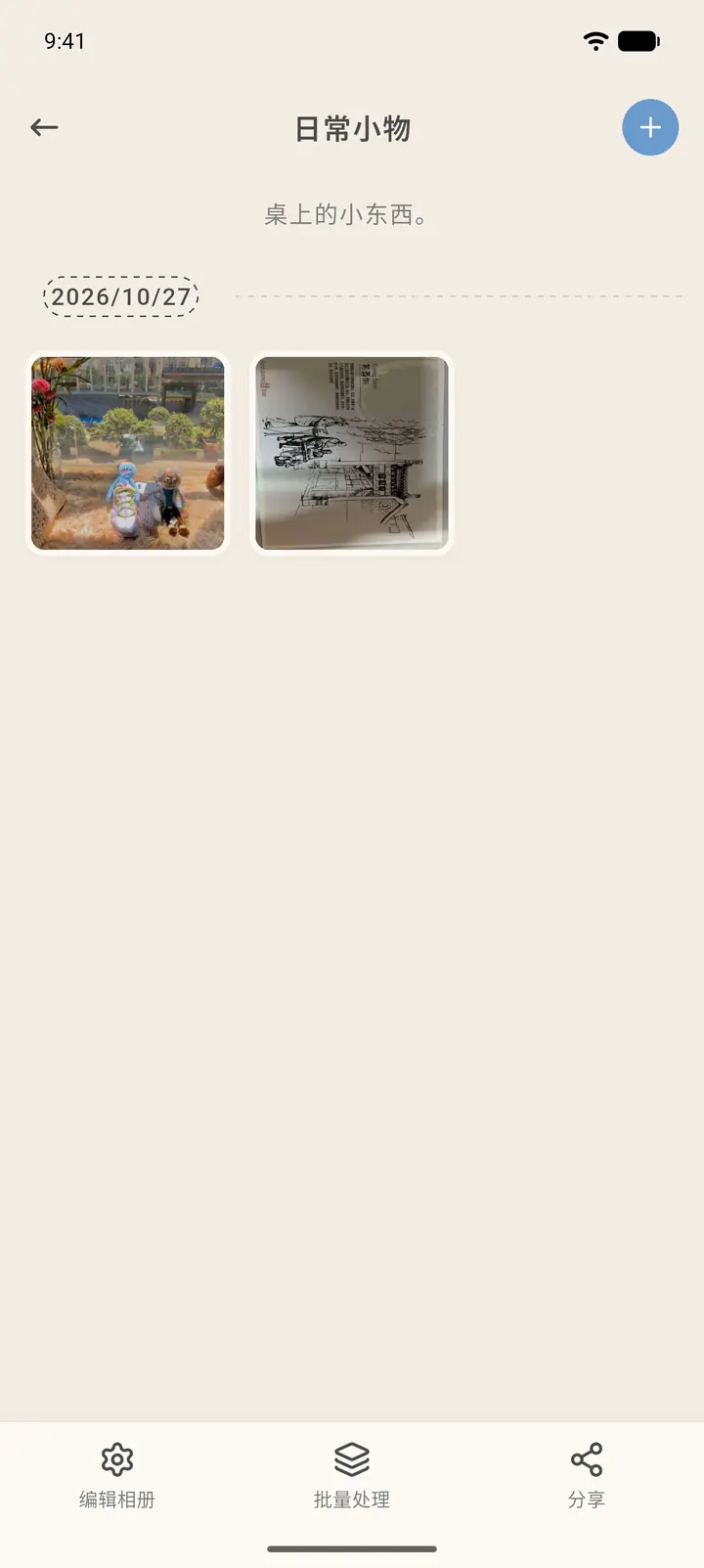
Tap an album to browse its photos, which are grouped by date. The "+" in the top right adds photos, and there are three buttons at the bottom: Edit Album (「编辑相册」), Batch Process (「批量处理」) and Share (「分享」).
Result
Photos in a public album can be seen by others on your user profile.
FAQ
Where do I pick photos from? From your phone's photo library. You'll be asked for photo library permission before you choose.