Post Office
The Post Office is where you buy stamps. Stamps are bought with tokens and used on letters and postcards.
Where to find it
Discover (「发现」) → Post Office (「邮局」). You can also tap Post Office when choosing a stamp.
Steps
-
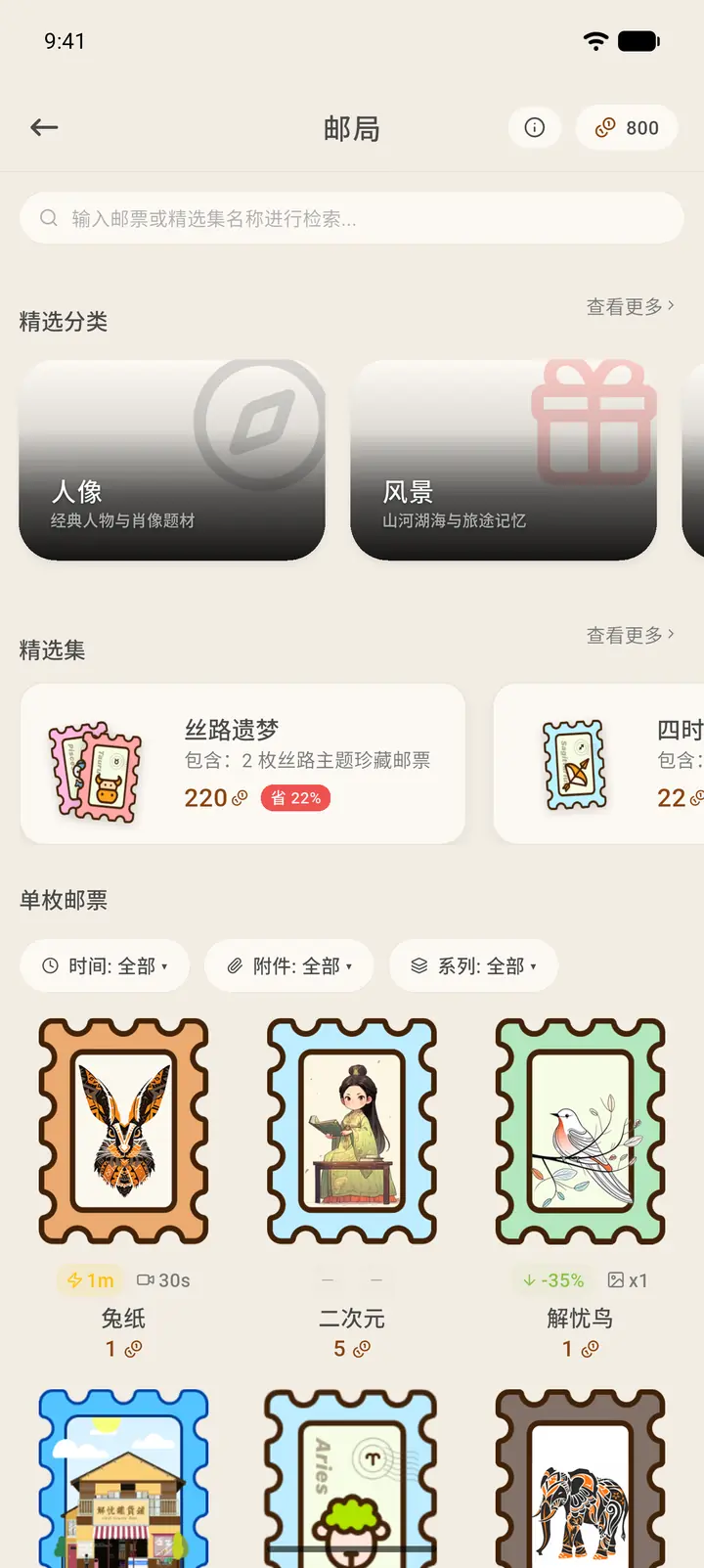
The search box at the top lets you search by stamp name or collection name, and your token balance is in the top right — tap it to open the Token Shop (「代币商城」, see step 6). Below are the featured categories and curated collections.
-
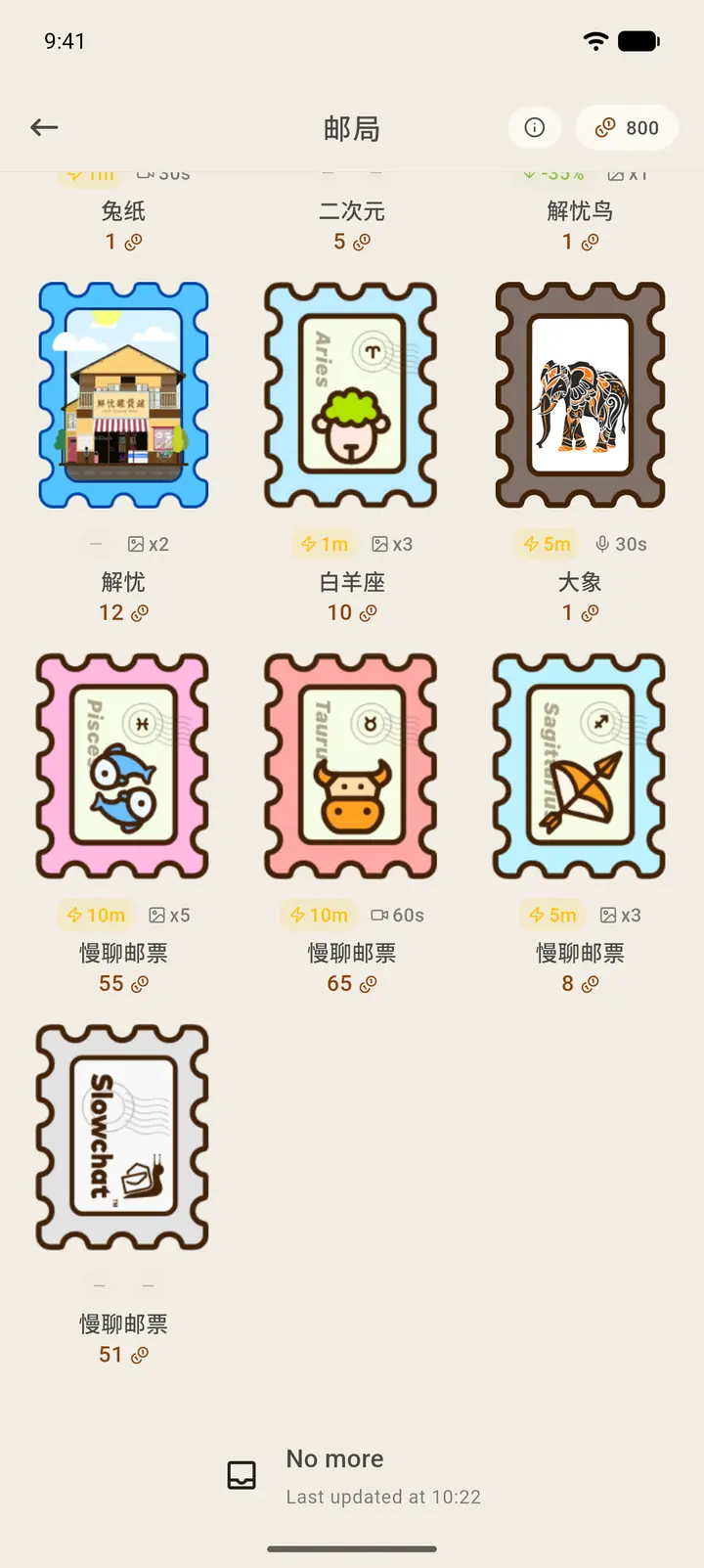
Further down are individual stamps, which you can filter by time, attachment and series. Each stamp shows its token price, the sending-time discount and the attachments it supports.
-
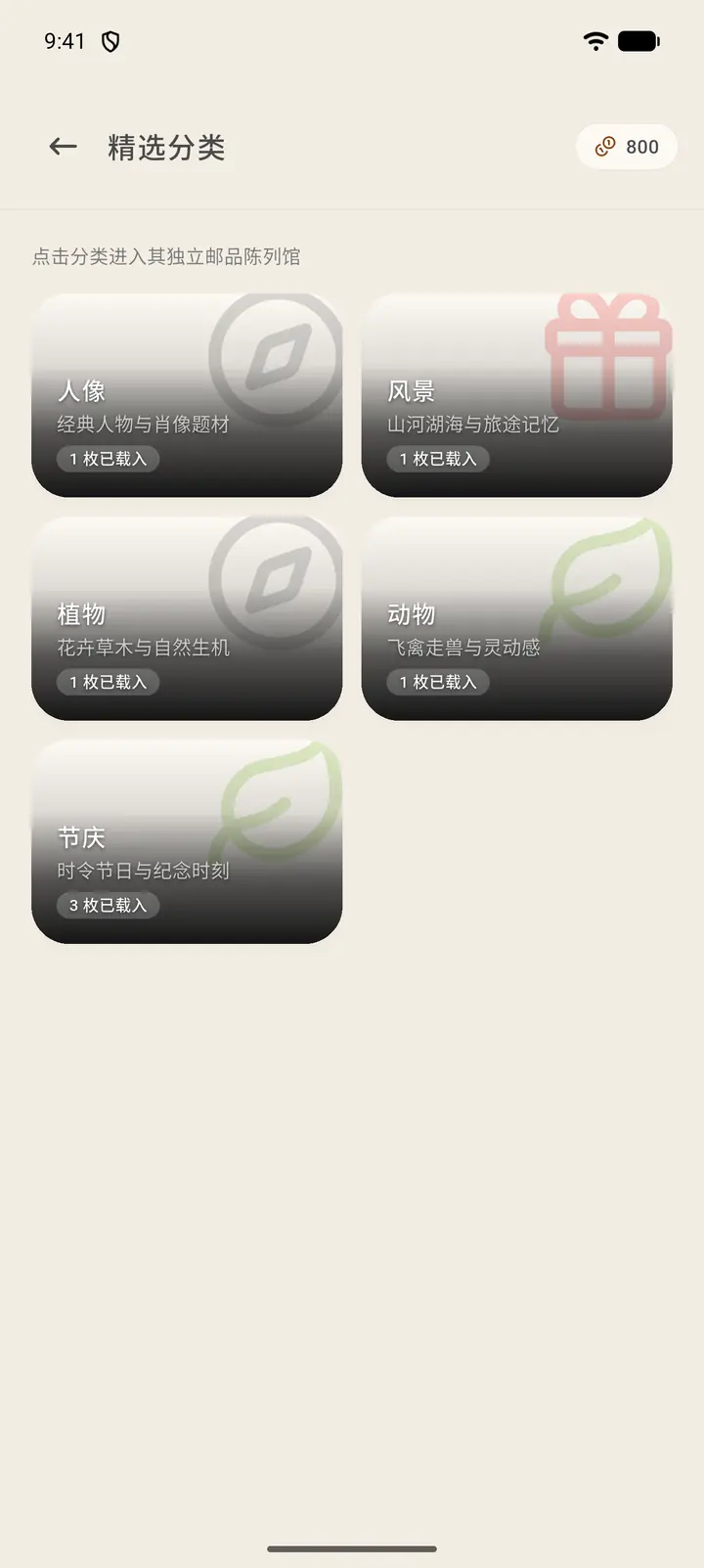
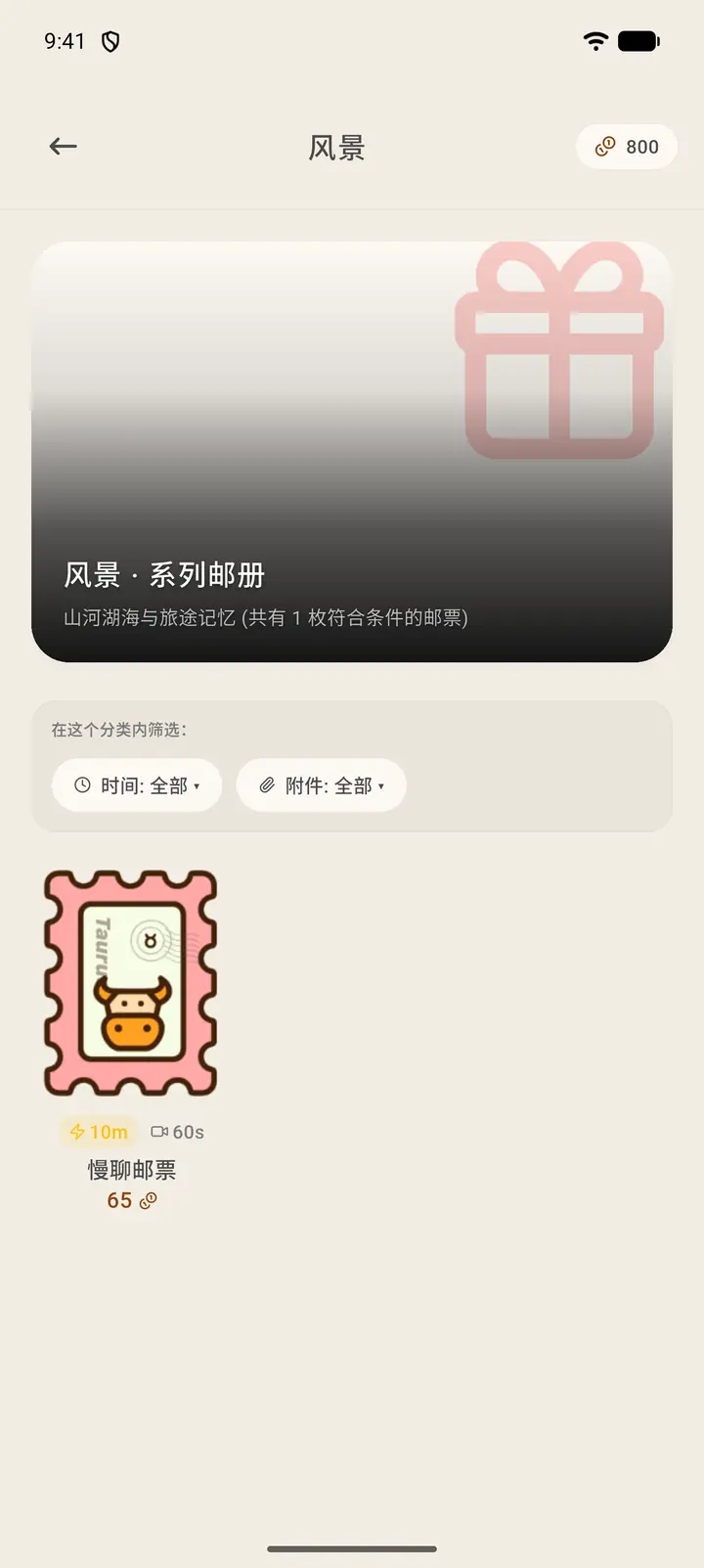
Both featured categories and curated collections have View More (「查看更多」) on the home page. Featured Categories (「精选分类」) group stamps into series by theme (portraits, landscapes, plants, animals, festivals and so on). Tap one to see only the stamps in that category, which you can filter by time and attachment.
-
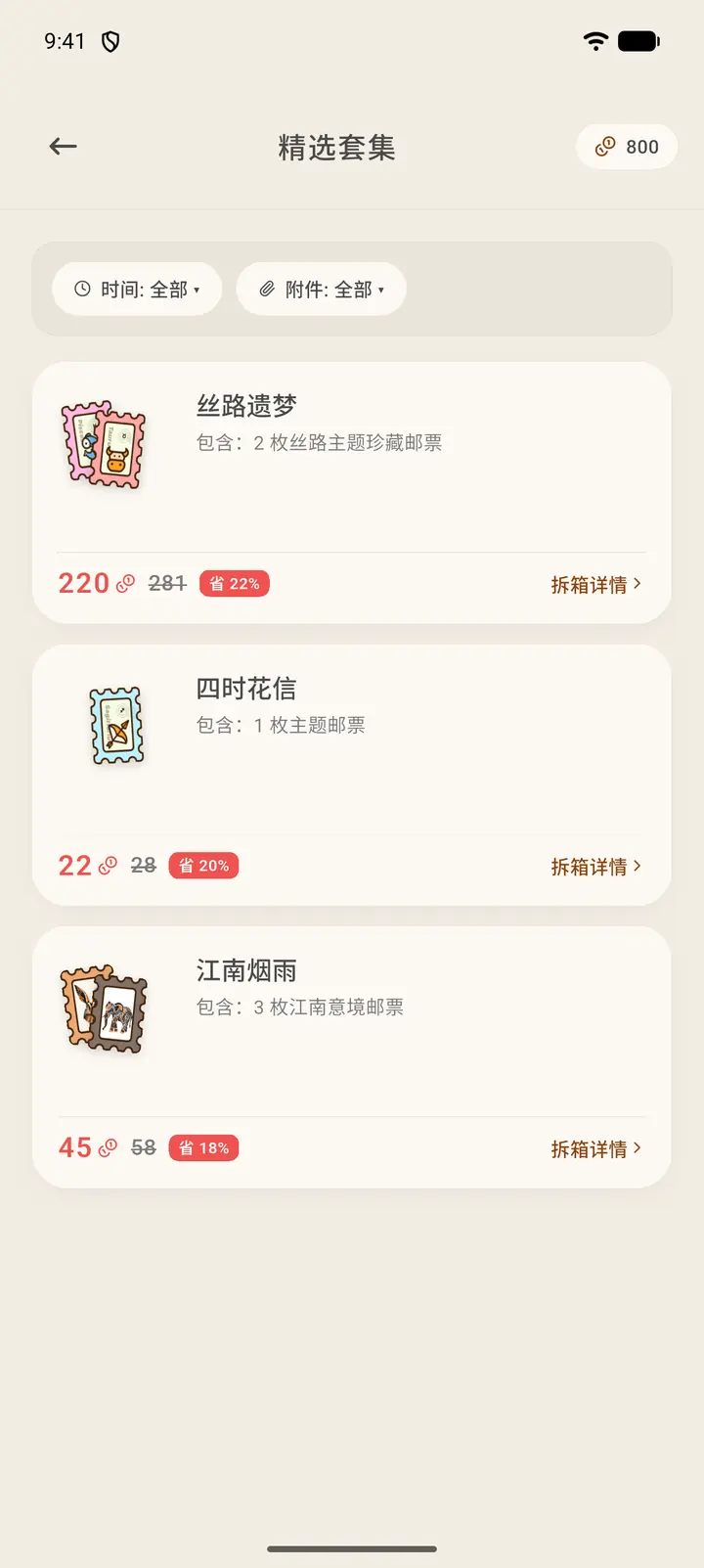
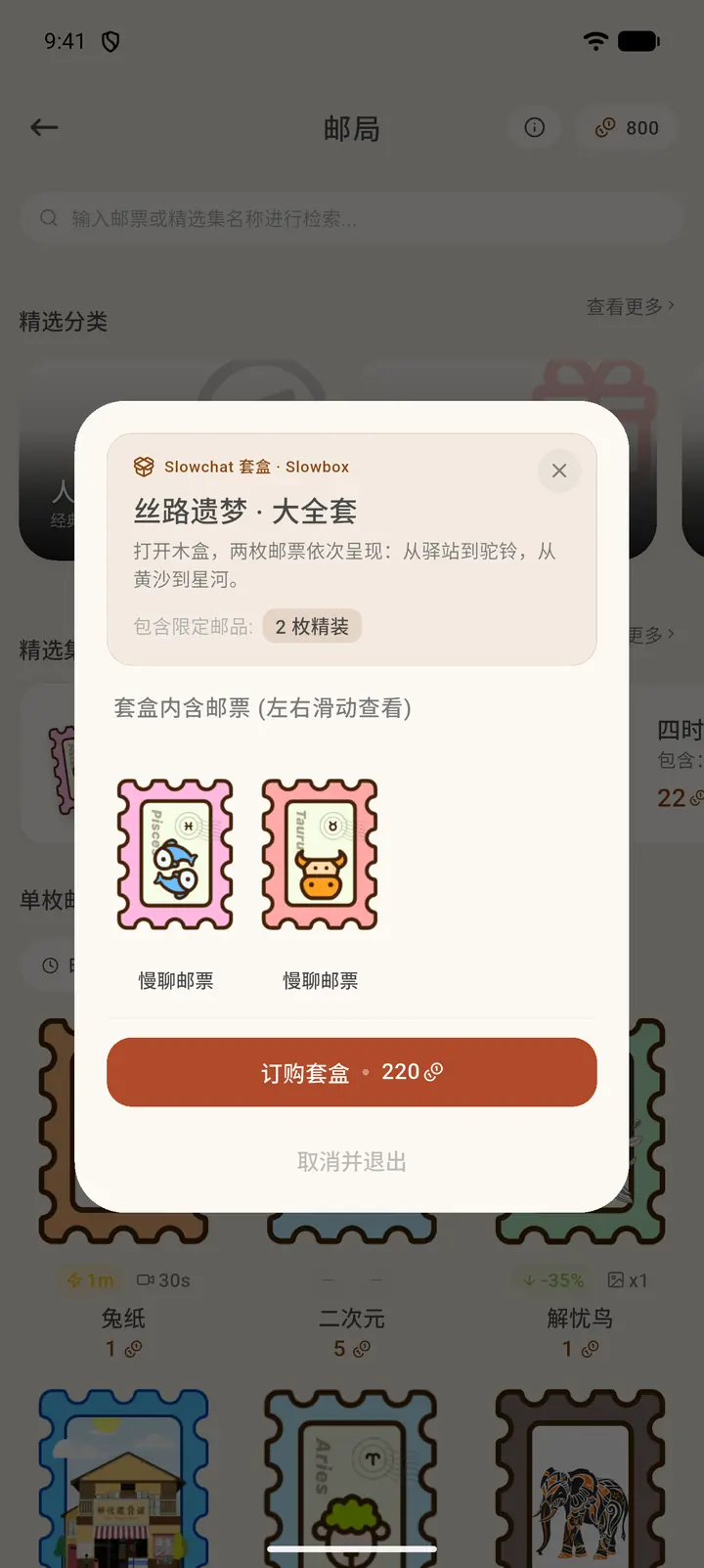
Curated Sets (「精选套集」) bundle several stamps for sale, showing the original price, the discounted price and how much you save. Tap Unbox Details (「拆箱详情」) in the bottom right to see which stamps are in the set. Tap a set to open its details, then tap Order Set (「订购套盒」) to pay with tokens, or Cancel and close (「取消并退出」) to leave.
-
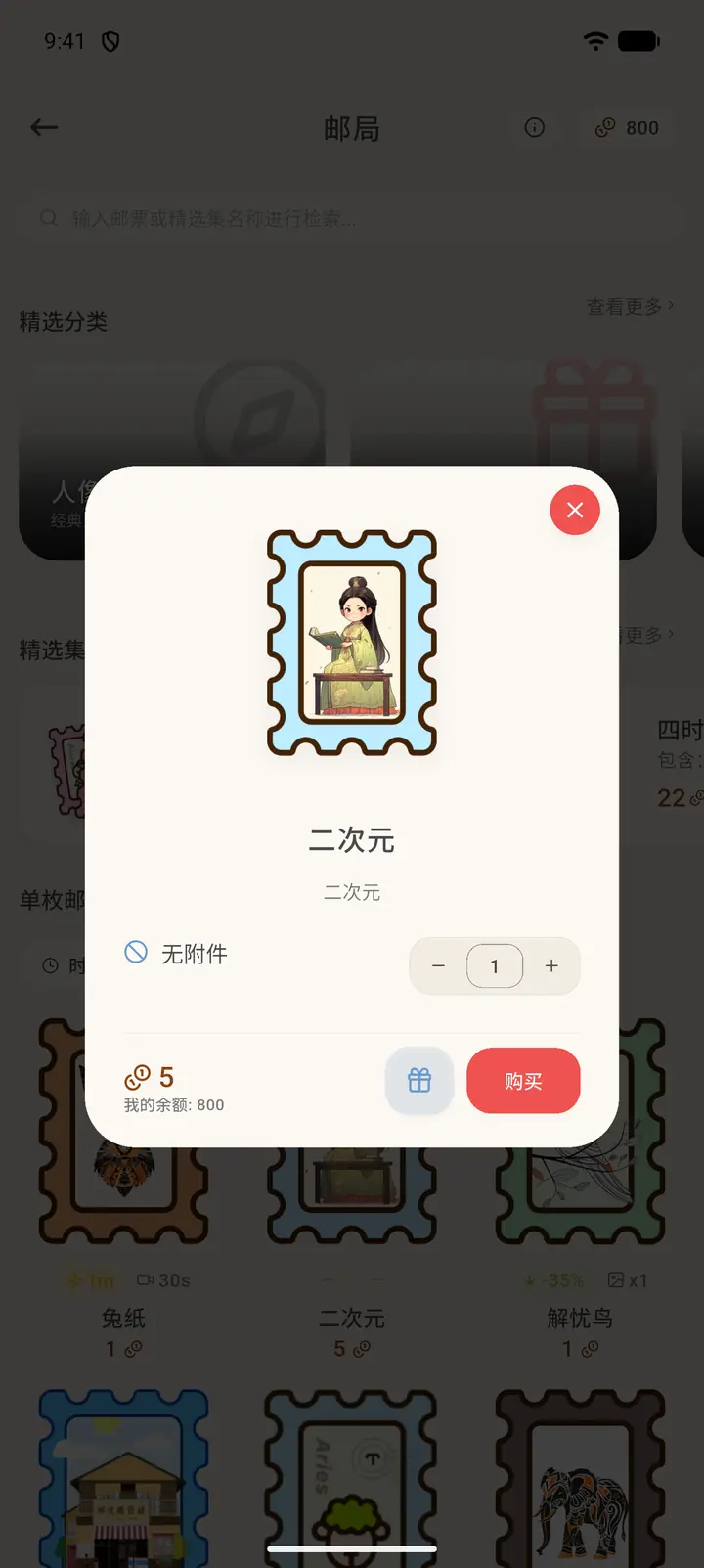
Tap a stamp to open the purchase window. It shows the stamp's name, how long it takes to arrive directly, the attachments it supports, the quantity and the tokens required, with your balance below — tap the balance to open the Token Shop and top up. Tap Purchase (「购买」) to spend the tokens. The gift button on the left lets you send the stamp to a pen pal.
-
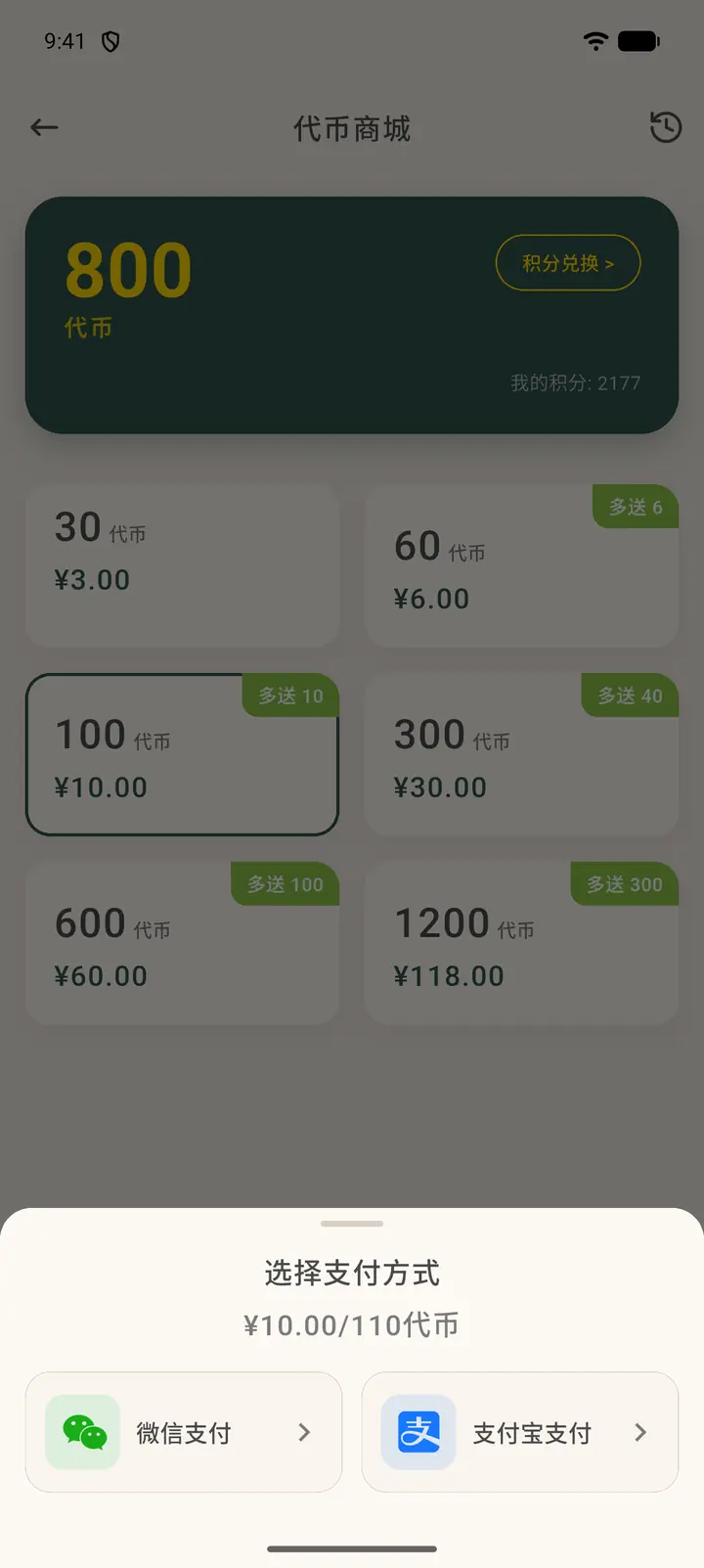
Everywhere your token balance is shown — the Post Office, featured categories, curated sets, the purchase window, and Tokens (「代币」) on the Me page — tapping it opens the Token Shop (「代币商城」). At the top are your token balance and points; the clock icon at the top right is Token History (「代币记录」), and Points exchange (「积分兑换」) swaps points for tokens. Below are the top-up tiers, each showing the number of tokens, the price and any bonus (「多送」). Pick one, tap Confirm (「确定」), then choose WeChat Pay or Alipay. This guide only goes as far as choosing a payment method and does not make a real payment.
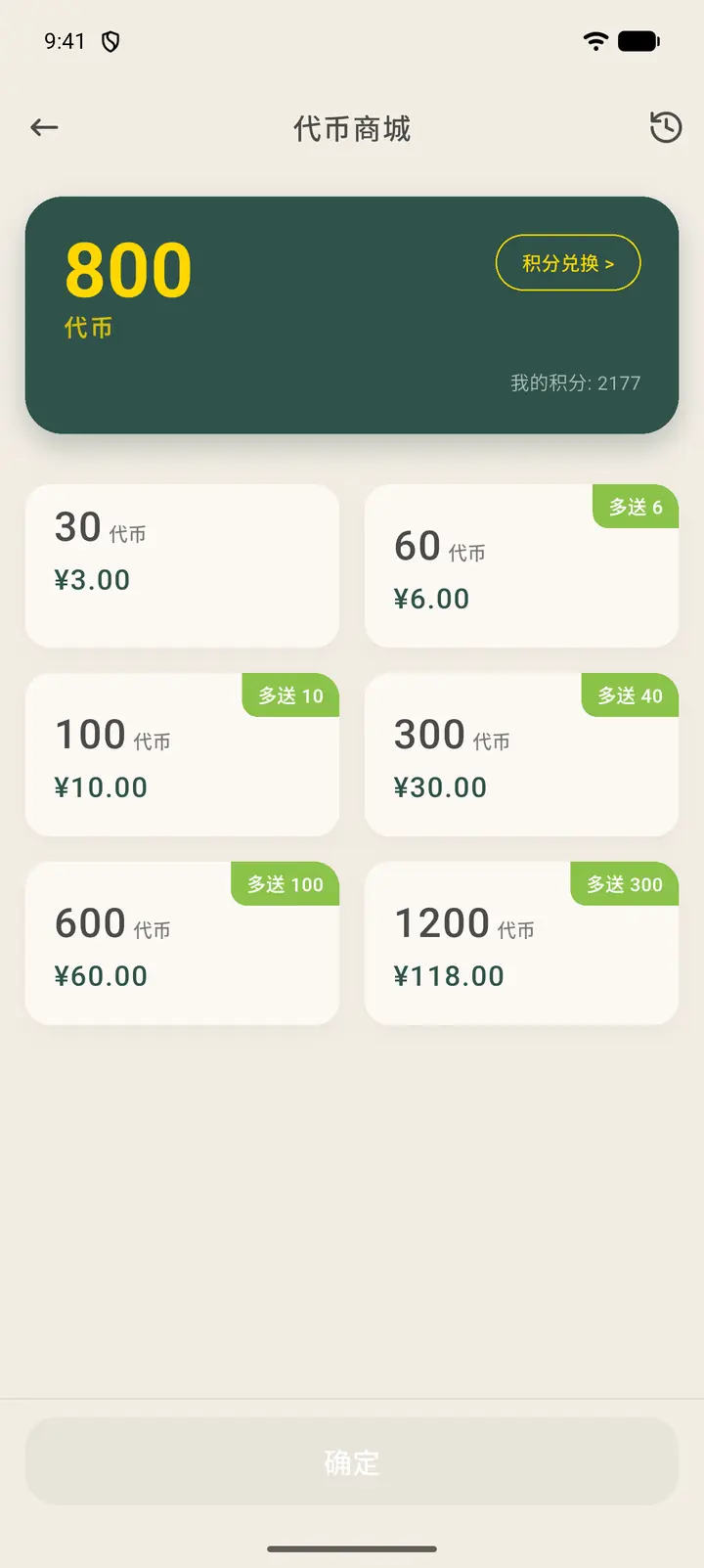
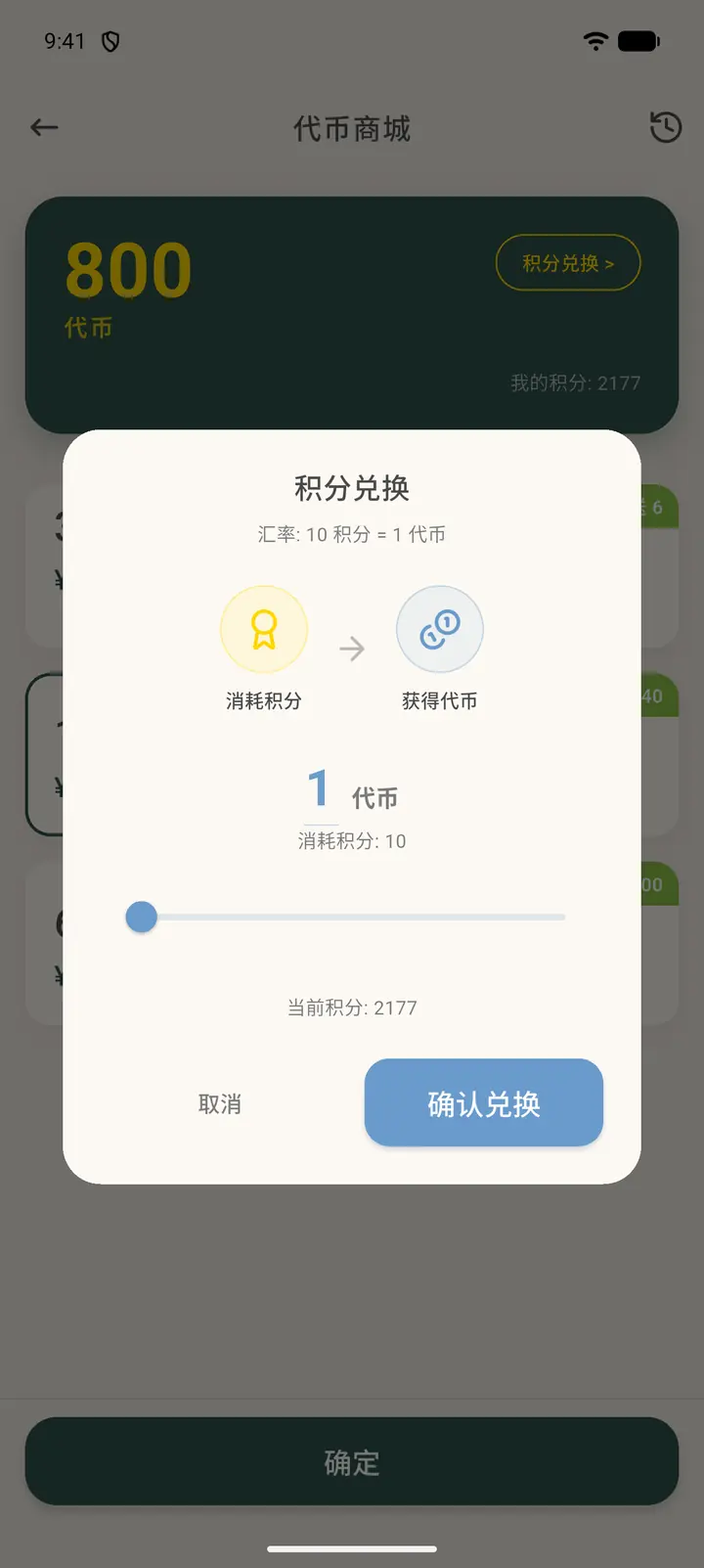
Points exchange converts points to tokens at a fixed rate (10 points = 1 token). Drag the slider to choose an amount; points are only deducted after you tap Confirm exchange (「确认兑换」).
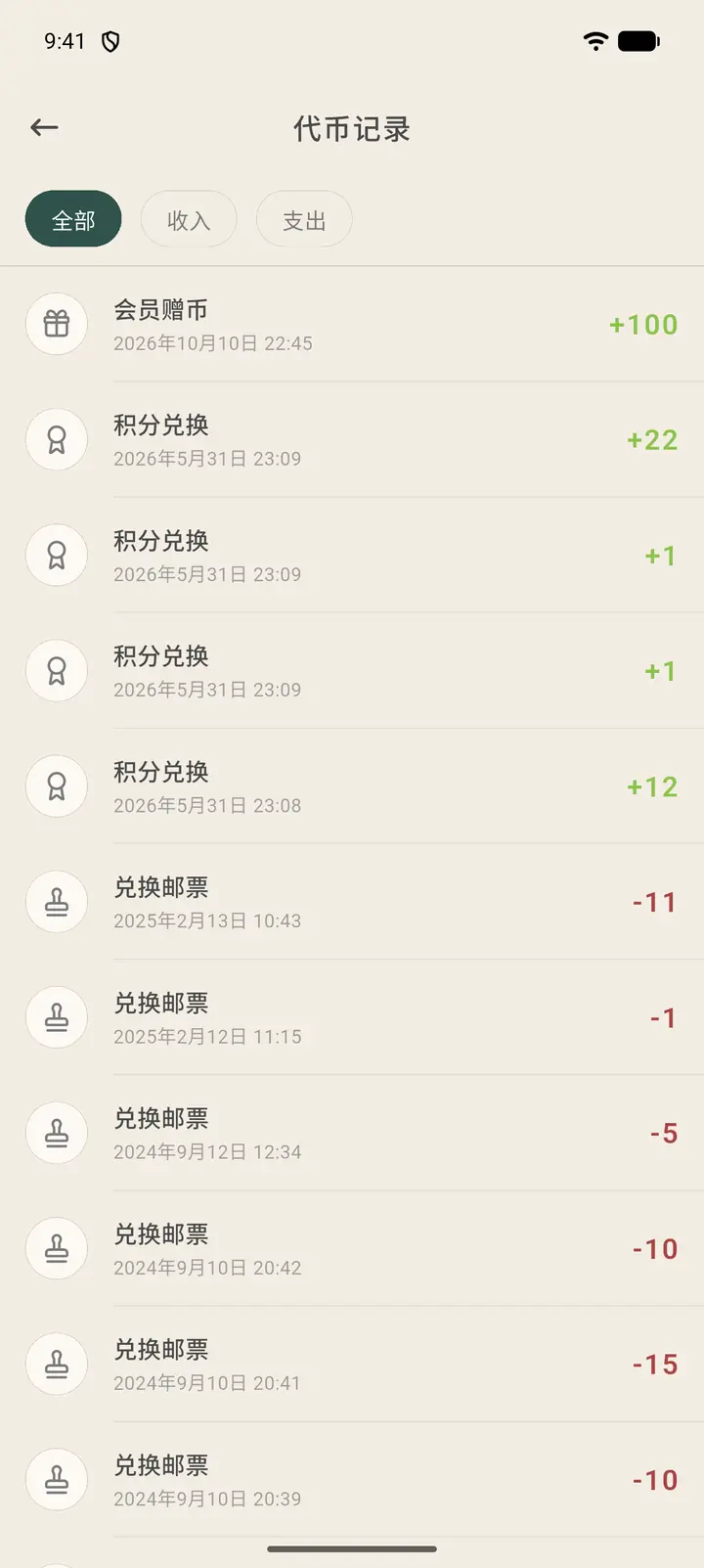
Token History lists every token gain and spend, newest first, and you can filter by All, Income and Expense. Membership gifts, points exchanges, stamp purchases and gifts to friends are all recorded here.
Result
Stamps you buy appear in My Stamps. You'll be asked to confirm the amount again before paying.
FAQ
What if I don't have enough tokens? You can watch ads to earn points, or top up on the membership page.